cancel
Showing results for 
Search instead for 
Did you mean: 

Learn from the best! Meet the four finalists headed to the FINALS of the Power BI Dataviz World Championships! Register now

Gateway Problem

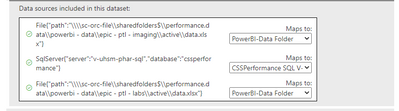
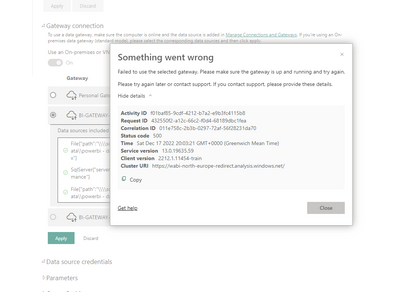
An existing gateway setup that is used by multiple reports has suddenly stopped letting any new reports use the mappings with a Status code of 500.  The reports that already use the mappings are working fine.  This started happening on Friday Dec 16th.  We have the latest gateway release installed.  We can map fine, but when we click apply we get the 500 error code.


chrishealey1877_1-1671307884751.png


chrishealey1877_0-1671307682570.png


Kind regards,

Chris

Status: Investigating
Comments
Anonymous
Not applicable

Hi @chrishealey1877 ,


Did this problem occur after you installed the latest version of the gateway?
Besides not refreshing properly, will it work if you re-add the data source?


Best regards.
Community Support Team_ Caitlyn

chrishealey1877
Regular Visitor

HI,


No it happened with Sep 2022 install in place.  I since upgraded the gateway to to the Dec 2022.  Existing reports using the setting work and are refreshing, but if I add another report and go to the gateway mapping section, when I hit apply it get status 500 error.


I have tried to add another connection to the same data source and it won't let me saying connection issue.  It is a folder connection on a server.


awright19
Advocate II

Here's the open thread from last week as many others are having the same problem: https://community.powerbi.com/t5/Issues/Unable-to-configure-gateway-connections-for-dataset/idc-p/29...