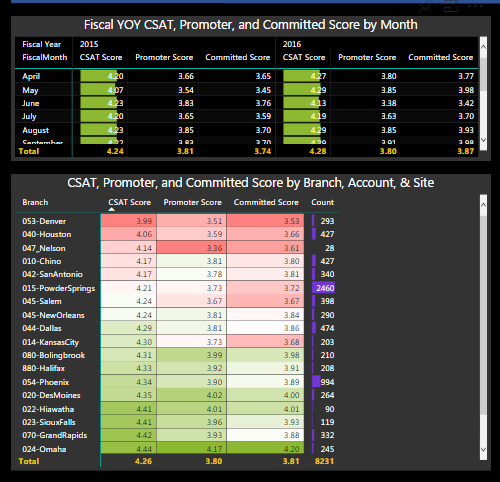
In the attached picture, these two tables have the same color gray visual background on a black page background. The former has the default background color (no color) for all of the headers and values. The latter has the rows, columns, and values formatted as the same color as the desired visual background.
With the first table, it would be nice to have the Header/Value default color resort to the desired background color, rather than "Seeing through" to the page background color.
Currently, to have desired Table Background color, Several formatting options must first be changed for each table. Especially very helpful is the desired visual background has any transparency value % (as the same transparency % is not offered in header/value formatting).


 on:
app.powerbi.com down?
on:
app.powerbi.com down?
 DataZoe
on:
Set as landing page feature missing in Apr 2026 up...
DataZoe
on:
Set as landing page feature missing in Apr 2026 up...
 on:
Template App "Microsoft 365 Usage Analytics" faili...
on:
Template App "Microsoft 365 Usage Analytics" faili...