The slicer sort is broken in PowerBI desktop.
I am on Version: 2.97.861.0 64-bit (September 2021)
I have a very simple problem. I have a version number that is text, that I want in the slicer. I then have a order column. I created a Sort Order column that turns the date into a number. I should not have to do that. But I was worried it was a date issue. But it's not.
Yes I set "sort by column" in "column tools". Then I go to the slicer and sort by accending. As the screenshots below show it's clear that the slicer is ignoring the sort.
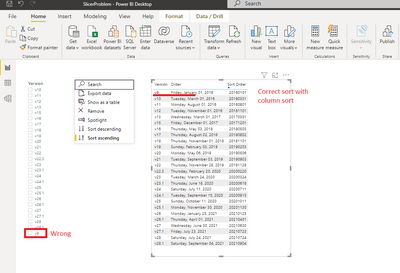
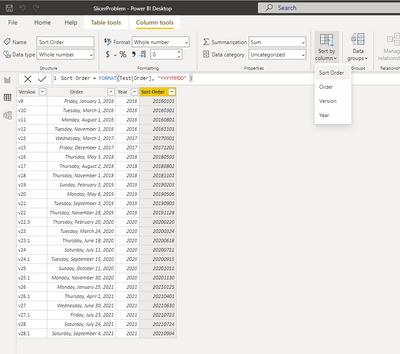
See file https://www.dropbox.com/s/5z0caua1wued91z/SlicerProblem.pbix?dl=0
Help!


 mattlee
on:
Input Text Slicer Broken on PBI Services
mattlee
on:
Input Text Slicer Broken on PBI Services