With the debut of the new UX there seems to be some problem with the "Manage Connections and Gateways" experience's interaction with the users component. When you I view the Connections tab, the entire "Users" column is blank. When I go into "Manage Users" for a particular connection, the users list stays stuck on "Loading" and searching for known users returns no results, even if you provide the full user email address. This is true despite a fresh browser session in Edge or testing with an InPrivate window. Interestingly this is a problem only for the Gateways management UX, it's not a problem for Workspace Access for example.

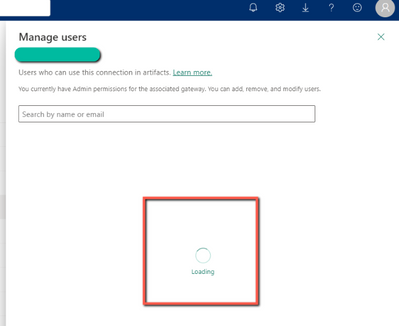
This kind of issue seems to have happened before and the workaround was going to the old UX. It worked for me in a pinch today but hopefully this issue will be resolved quickly. Cannot access Manage users setting in Gateway - Microsoft Fabric Community

 Hongju_Jung
on:
A Typo about Visual Gridline in the View menu (Kor...
Hongju_Jung
on:
A Typo about Visual Gridline in the View menu (Kor...
 on:
Issue with new card visual - reference labels spac...
on:
Issue with new card visual - reference labels spac...
 on:
Issue with Card Visual Layout After November Power...
on:
Issue with Card Visual Layout After November Power...