I have a data model on the Power BI desktop application that has an invoked custom function within it. The custom function is entered as seen below:
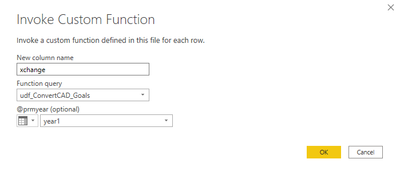
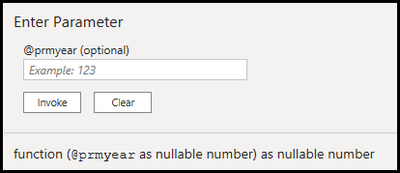
The 'udf_ConvertCAD_Goals' function expects the following:
The 'year1' column that is being entered into the function looks like this:
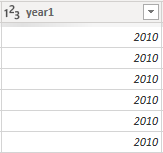
(the year values continue on to 2021)
When I test this on the data model this results in the data looking like below, which is expected:
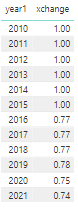
However, when I try to make this exact same visual on a separate report connected to this data model, the 'xchange' column is completely blank. I am on the updated data model view, the gateway, and Power BI desktop are all on the most recent update as well. This was working completely fine about 2 weeks ago and I'm not entirely sure what I can do differently to fix this.

 mattlee
on:
Tooltip sentence mode overrides help tooltip conte...
mattlee
on:
Tooltip sentence mode overrides help tooltip conte...
 on:
Option to set key column is missing in June 2026 r...
on:
Option to set key column is missing in June 2026 r...
 KevinChant
on:
Issues with changing the workspace ID when version...
KevinChant
on:
Issues with changing the workspace ID when version...