We are able to connect to Redshift data source (AWS) from Power BI desktop and create dataset, but when we try to enter the Redshift credentials from Power BI Service(Azure Cloud) page we see below error.
We didn't configure gateway as the Redshift is on AWS Cloud.
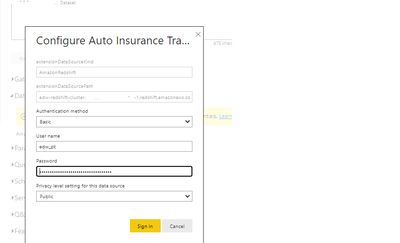 Redshift data source error while setting up credentials
Failed to update data source credentials: ODBC: ERROR [08S01] [Microsoft][Amazon Redshift] (10) Error occurred while trying to connect: [SQLState 08S01] could not connect to server: Permission denied (0x0000271D/10013) Is the server running on host "edw-redshift-cluster.XXXXXXXXXXX-east-1.redshift.amazonaws.com" (100.XXX.XXX.XXX) and accepting TCP/IP connections on port 5439? Hide details
Activity ID: | | e132b907-9bc8-4df9-8878-c8beae7dbc19 |
Request ID: | | 8e257cf8-005e-668e-5f7e-1086e9c32551 |
Status code: | | 400 |
Time: | | Wed Jun 15 2022 20:47:31 GMT+0530 (India Standard Time) |

 on:
Unremovable Scroll Bars
on:
Unremovable Scroll Bars
 DataZoe
on:
Slicer's drop-down list covers the Data pane
DataZoe
on:
Slicer's drop-down list covers the Data pane
 on:
Gateway 3000.322.4 (June 2026): refreshes failing ...
on:
Gateway 3000.322.4 (June 2026): refreshes failing ...