Hi everyone,
I am doing a report which carries many data sources (access file, excel files and D365CRM). The report is done in Power BI Desktop and refresh without any error. I uploaded the report to PBI Service and setup the Data Gateway, all works well as below
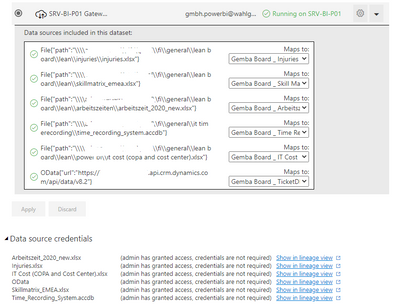
Then I set up refresh schedule and try to refresh the data. But I got the failure when refreshing with below notification
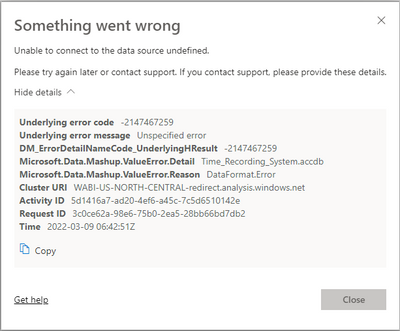
As I understanding the error alert a problem from access file but I checked once again the file in Power BI Desktop, try to fix all the format and refresh in Power BI Desktop. No any errors there. I uploaded again new saved file to same workpace, and set up again the data gateway. When I refresh, it still appears.
Could you please help me in this case? I do not know where to fix this problem.
Thanks so much
Thu

 mattlee
on:
Unremovable Scroll Bars
mattlee
on:
Unremovable Scroll Bars
 on:
Gateway 3000.322.4 (June 2026): refreshes failing ...
on:
Gateway 3000.322.4 (June 2026): refreshes failing ...