

- _Airat_ on: PowerBI There's not enough memory to complete this...
- ex_kjetilh on: æøå not supported after update 30th june?
- JoseVitorR on: Power Bi Login nao funciona
-
marwood
 on:
Dataflow error communicating with another service
on:
Dataflow error communicating with another service
-
 yanlinnnaing
on:
Issue: Oracle Cloud Connection created without cen...
yanlinnnaing
on:
Issue: Oracle Cloud Connection created without cen...
-
mattlee
on:
Tooltip sentence mode overrides help tooltip conte...
- lorenzbangerter on: Sequence contains more than one element June updat...
- abc54 on: Internal error: An unexpected error occurred (file...
-
Gautam_Kumar01
 on:
Option to set key column is missing in June 2026 r...
on:
Option to set key column is missing in June 2026 r...
- dragofab on: Default format string locale for dates and numbers...
Seems like could find this issue in Power BI Desktop.
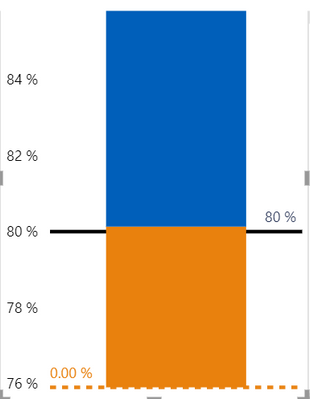
If firstly create a constant line in the visual with the blank value measure, the line would not show in the visual;
if create the constant line again in the visual with the blank value measure, it would show the 0 value line.
Have submited this issue internal to confirm(ICM: 277149378), would update here as soon as possible if there is any progress about this issue.
Best Regards,
Community Support Team _ Yingjie Li