This is a really weird issue. I am using the "New Filter Experience" preview in most of my reports. Suddenly certain pages in one of my reports are being "wonky". The Report level filters suddenly show whited out, and not clickable when navigating via my bookmarks/buttons.
Here the filters show:

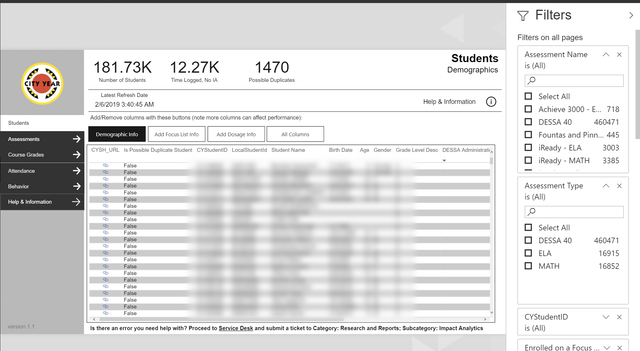
User clicks the button which navigates them to a bookmarked page (bookmark only effects page, and all visuals displayed) :
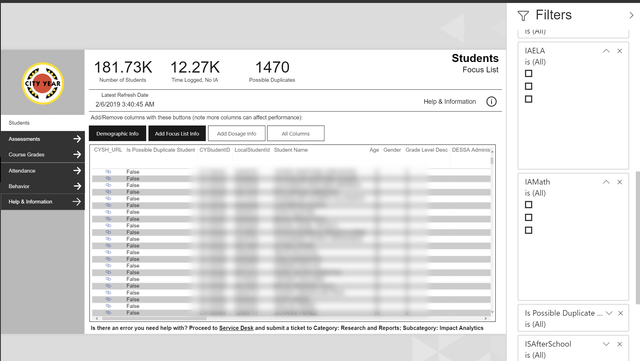
As you can see, values that we previously displayed are there, but seem to be a "ghost" that is not clickable, or viewable. They all work as intended in the Power BI client.
Specs:
Model is a Direct Query agains an Azure Analysis Services model
PBI Version: 2.65.5313.1381 64-bit (December 2018) (Downloaded form MS Store, so should be latest updated version)

 mattlee
on:
Unremovable Scroll Bars
mattlee
on:
Unremovable Scroll Bars
 on:
Gateway 3000.322.4 (June 2026): refreshes failing ...
on:
Gateway 3000.322.4 (June 2026): refreshes failing ...