In PBIRS in Chrome, Power BI Desktop (May 2019), and Power BI Desktop 2.70.5494.761 64-bit (June 2019) we are experiencing an issue with Drop Down Slicers. The issue does not occur in PBIRS in Edge or PBIRS in Internet Explorer.
When selecting the drop down list the expanded list of options disappears (detracts) before a selection can be made. In order to recreate the issue, I click on the drop down selection list first and then move the mouse down to make a selection. The selection list disappears.
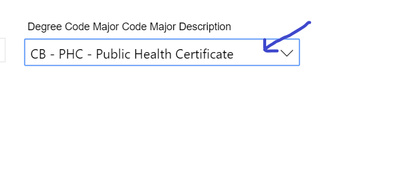
In order to "resolve" the issue I click anywhere else in the slicer area including below, to the side, or on the title of the slicer, anywhere but on the select list. I then click the select list and I am able to choose a selection from the select list.

In an attempt to resolve the issue we have tried a hard refresh and clearing the cache of the Chrome browser which did not work. Obviously, this is not an option with the different versions of Power BI Desktop we are using.

 on:
Dataflow error communicating with another service
on:
Dataflow error communicating with another service
 yanlinnnaing
on:
Issue: Oracle Cloud Connection created without cen...
yanlinnnaing
on:
Issue: Oracle Cloud Connection created without cen...
 on:
Option to set key column is missing in June 2026 r...
on:
Option to set key column is missing in June 2026 r...