Hi All,
I have been working with themes recently. My problem is I am trying to theme databars and having no luck...
Was hoping someone had a creative solution as I beleive I am hitting the limits of Power bi. Screenshots to follow
Most visuals let you set the data color to a color from the theme pallete.

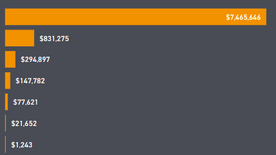
Lets say I pick Orange.
I then can pass in a different theme and the color(green) in the same position in the new theme as my selected color (orange) will replace my previously selected color. as show in the image below

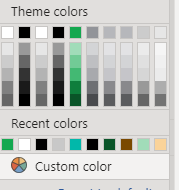
This same thing does not hold true to Data Bars. I can do the same exercise as above and it will keep my originally selected orange when switching themes.
Other conditional formatting options(font color, background color) let you use a measure to color, Data bars do not. We use this report with different themes at multiple customers. So for now we will have to live without data bars.
Hoping someone has a workaround.
Thanks

 mattlee
on:
Unremovable Scroll Bars
mattlee
on:
Unremovable Scroll Bars
 on:
Gateway 3000.322.4 (June 2026): refreshes failing ...
on:
Gateway 3000.322.4 (June 2026): refreshes failing ...
 on:
Dataflow error communicating with another service
on:
Dataflow error communicating with another service