PBI Desktop Version: 2.128.952.0 64-bit (April 2024)
ISSUE:
0__migrate on-prem source to LH and 2 DFg2.
1__make a copy of old pbix report.
2__connect to new LH data source, all tables in DirectQuery mode.
3__start relinking all visuals; all tables have the same name and schema as when the report was connecting to on-prem source in Import mode.
4__one slicer still using the same field name as before (field still selected and no error icon shows) appears as broken.
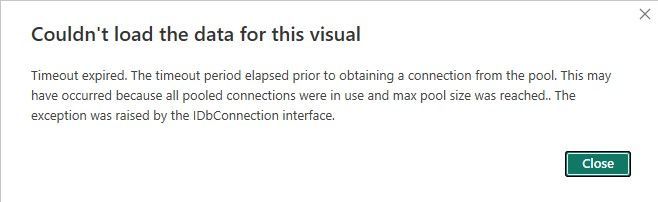
5__click on 'See details.' This is the error message that pops up:
6__remove field from data well; choose same field from Data pane, drag and drop it, and now the problem goes away. Another slicer picks up the change automatically and the above is not needed for this slicer. But another slicer next to it, same interface issue. Again, all tables are in DirectQuery mode.


 DataZoe
on:
Tooltip sentence mode overrides help tooltip conte...
DataZoe
on:
Tooltip sentence mode overrides help tooltip conte...
 on:
Option to set key column is missing in June 2026 r...
on:
Option to set key column is missing in June 2026 r...
 on:
Power BI Desktop Snowflake Refresh Fails: “Cannot ...
on:
Power BI Desktop Snowflake Refresh Fails: “Cannot ...
 KevinChant
on:
Issues with changing the workspace ID when version...
KevinChant
on:
Issues with changing the workspace ID when version...