I think this is quite a significant limitation in Power BI and I am hoping this can be addressed. I see it has been brought up by @StuartSmith and @9024gnsd
If you have a visual and a table when clicking on a row in the table after it has been filtered by the visual, the table "Unfilters" itself.
I entered a simple table and have configured a bar chart and a table, plus an additional table to show desired effect.
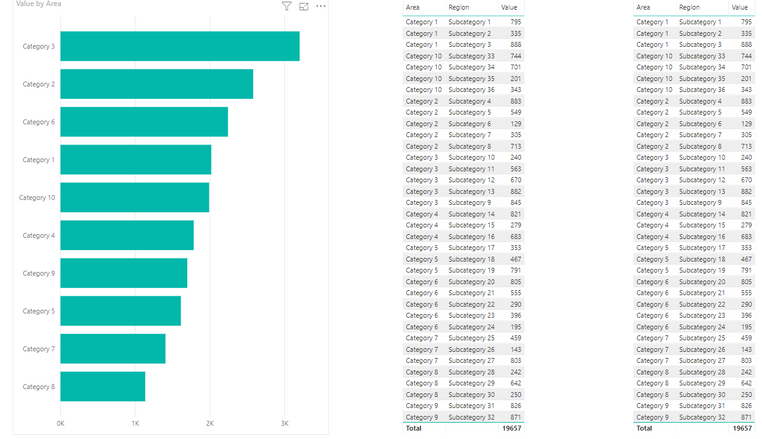
When filtering category from the bar chart it works fine: Category 2 selected.
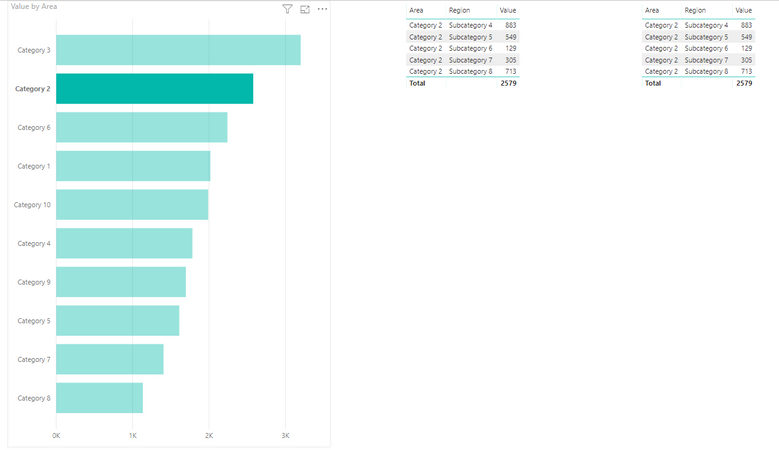
Now here is where the problem occurs: When clicking the table to filter on Subcategory 2 it unfilters the table.
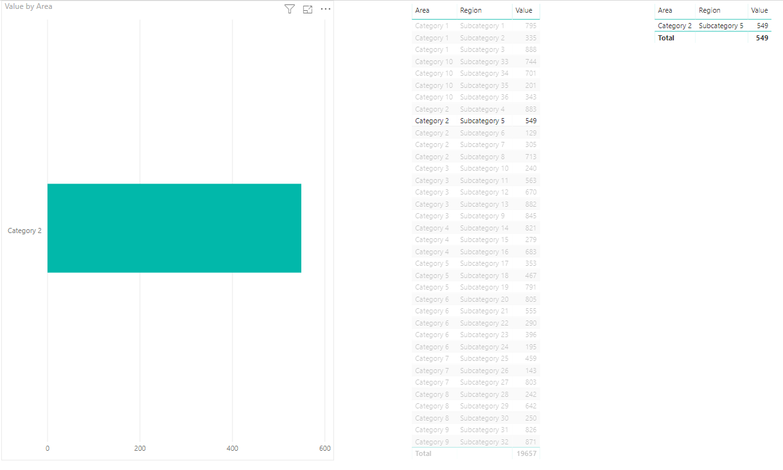
Ideally It should it should have kept all Category 2 rows with Subcategory 5 highligted or worst case look like the second table with just the clicked row visible.
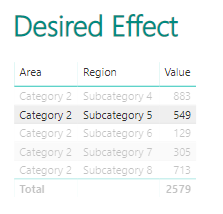
Hope some can address this or propose a fix?
Thanks for reading.

 Hongju_Jung
on:
Translation Issue in the Korean Version
Hongju_Jung
on:
Translation Issue in the Korean Version
 on:
Issue with new card visual - reference labels spac...
on:
Issue with new card visual - reference labels spac...