Hello everyone,
I've been facing the same problem that other in the thread referenced below with the October and November (current) version of PBI Desktop. Currently my setup uses the x64 version over Window 10. It's quite annoying that no answer can be obtained in order to solve this.
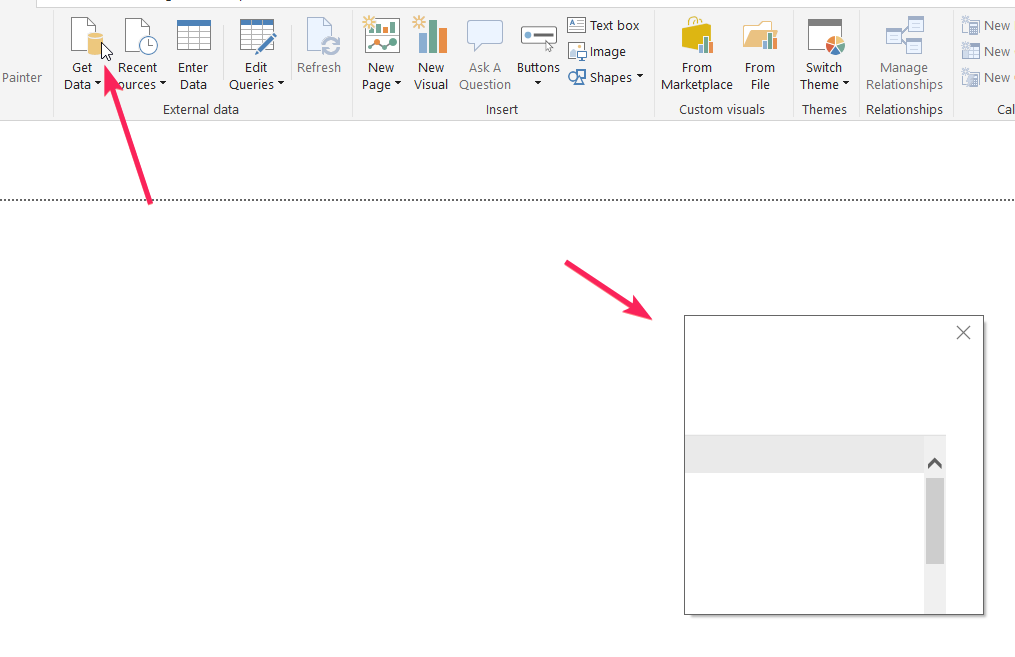
The error pratically blocks the usage of internal context windows (such as file recover, save, add sources, etc...) and also crashes query editor leading to possible data loss due to force close required.
The error is intermittent and annoying, requiring to close Power BI without guarantee of results. It occurs on most popup windows in the application and also crashes the opening of Power BI Query Editor (application hangs with 30~processor usage and no response from UI).
Some small tricks works sometimes to help getting the bug to disappear, like retrying or alt+tab. But usually it is solved only for that occasion and by the next click the bug reappears.
I've also tried wiping out application cache without success.
This issue is also referenced in the thread: https://community.powerbi.com/t5/Desktop/Bug-in-PowerBi-Screen-dislocation/m-p/354864#M159782
Another example Get Data window:

 mattlee
on:
Small multiples not fitting to scale
mattlee
on:
Small multiples not fitting to scale
 on:
CMD Prompt Popping Up During Changes
on:
CMD Prompt Popping Up During Changes