cancel
Showing results for 
Search instead for 
Did you mean: 

Next up in the FabCon + SQLCon recap series: The roadmap for Microsoft SQL and Maximizing Developer experiences in Fabric. All sessions are available on-demand after the live show. Register now

Problem with maps in shared report

Hi all,


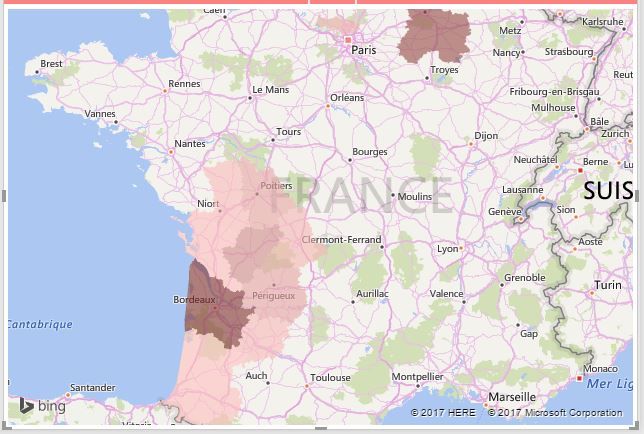
I observed a bug of diplaying data on a map with a shared report.

This is how the data are displayed in the good way in Power Bi Desktop :

Capture.JPG


And below, how they are displayed within the shared report available online :

Capture2.JPG


For information, the map is correct within the online dashboard.


What can I do to be sure that the maps in the shared report are correct ?

Thanks for your help.

Status: Needs Info
Comments
v-haibl-msft
Microsoft Employee

@Ciolman


Could you please share your PBIX file through online file service like OneDrive? So that I can have a try on my side.


Best Regards,
Herbert


Vicky_Song
Impactful Individual
Status changed to: Needs Info
 
v-haibl-msft
Microsoft Employee

@Ciolman


Actually, I even get the incorrect result in Aug 2017 version of Power BI Desktop. So the result is seen in Desktop and Service on my side. You can try to change the Data Type of Code ISO to "Place", based on my test, it should work.


Problem with maps in shared report_1.jpg


Best Regards,
Herbert


Ciolman
Regular Visitor

Hi,
Following your advice I changed the Data Type of Code ISO to "Place" ... and it works !

Thank you for your help !


Best Regards.
Ciolman