Even though the native Parquet connector is scheduled to be available on Mar 2021, I already have it showing up in my PowerBI Desktop. I have a small parquet file hosted on a webserver and when I download this file and open it using this new Parquet connector, it works fine.
But when I try to load this from my webserver via http or https, I get the following error in PowerBI:
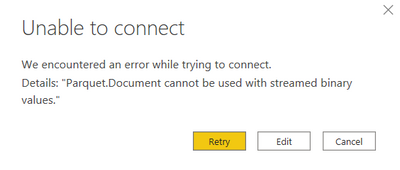
Does anyone know how I would be able to solve this issue?
PS: I have tried the commercial CData Parquet connector and that worked fine, but I rather would like to use the native Parquet connector in PowerBI.

 on:
URL is not filtering on field parameter
on:
URL is not filtering on field parameter
 on:
URGENT!! Paginated Report not loading on Mozilla F...
on:
URGENT!! Paginated Report not loading on Mozilla F...
 on:
In desktop, 'Recent Sources' is not retaining new ...
on:
In desktop, 'Recent Sources' is not retaining new ...