cancel
Showing results for 
Search instead for 
Did you mean: 

Join the FabCon + SQLCon recap series. Up next: Power BI, Real-Time Intelligence, IQ and AI, and Data Factory take center stage. All sessions are available on-demand after the live show. Register now

Reply
Anonymous
Not applicable

App Not Retaining Some Users

When I add new users to a PBI app, this list does not retain the users, so I can't see who has access.


However, it seems that they do get access, but it is very confusing, and how can I even remove them from the list, if they do not appear?


1 ACCEPTED SOLUTION

Hi @Anonymous ,

First, could you please check the access limitation when you update/publish your app:

1.PNG

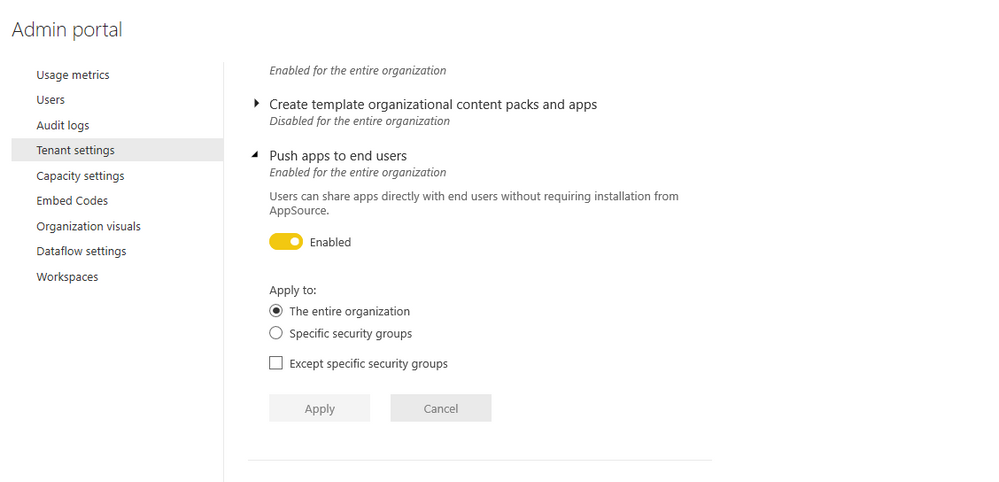
Second, please check if you have switched off the option for app in admin portal:

2.PNG

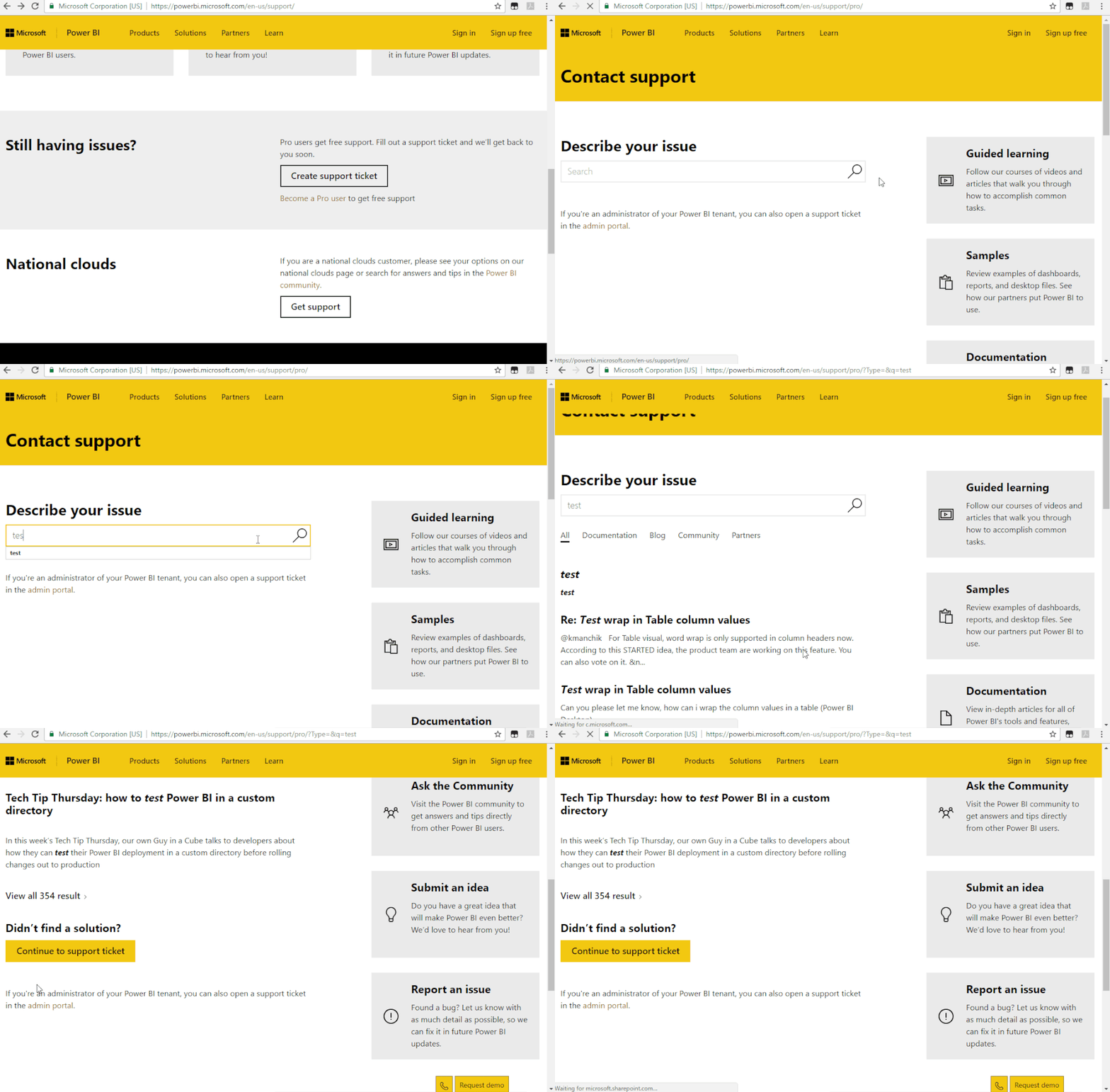
If all above solutions could help you, you could create a support ticket for your issue:https://powerbi.microsoft.com/en-us/support/

Support Ticket.gif

Regards,

Daniel He

Community Support Team _ Daniel He
If this post helps, then please consider Accept it as the solution to help the other members find it more quickly.

View solution in original post

4 REPLIES 4
v-danhe-msft
Microsoft Employee
Microsoft Employee

Hi @Anonymous ,

Could you please tell me if your problem has been solved? If it is, could you please mark the helpful replies as Answered to close this topic?


Regards,

Daniel He

Community Support Team _ Daniel He
If this post helps, then please consider Accept it as the solution to help the other members find it more quickly.
v-danhe-msft
Microsoft Employee
Microsoft Employee

Hi @Anonymous ,

"When I add new users to a PBI app"

Could you mean add users to your app workspace? If so, could you have added external users to your workspace? If so, I am afraid them could not have the access to your workspace:

https://docs.microsoft.com/en-us/power-bi/service-create-workspaces


Regards,

Daniel He

Community Support Team _ Daniel He
If this post helps, then please consider Accept it as the solution to help the other members find it more quickly.
Anonymous
Not applicable

No.... I'm specifically referring to the App attached to the workspace, which users needs access to. When we started using this back in february, this issues did not exist.


The users I'm adding are all within our organisation on Office365.

Hi @Anonymous ,

First, could you please check the access limitation when you update/publish your app:

1.PNG

Second, please check if you have switched off the option for app in admin portal:

2.PNG

If all above solutions could help you, you could create a support ticket for your issue:https://powerbi.microsoft.com/en-us/support/

Support Ticket.gif

Regards,

Daniel He

Community Support Team _ Daniel He
If this post helps, then please consider Accept it as the solution to help the other members find it more quickly.

Helpful resources

Announcements
April Power BI Update Carousel

Power BI Monthly Update - April 2026

Check out the April 2026 Power BI update to learn about new features.

New to Fabric survey Carousel

New to Fabric Survey

If you have recently started exploring Fabric, we'd love to hear how it's going. Your feedback can help with product improvements.

Power BI DataViz World Championships carousel

Power BI DataViz World Championships - June 2026

A new Power BI DataViz World Championship is coming this June! Don't miss out on submitting your entry.

FabCon and SQLCon Highlights Carousel

FabCon &SQLCon Highlights

Experience the highlights from FabCon & SQLCon, available live and on-demand starting April 14th.