cancel
Showing results for 
Search instead for 
Did you mean: 

Join the FabCon + SQLCon recap series. Up next: Power BI, Real-Time Intelligence, IQ and AI, and Data Factory take center stage. All sessions are available on-demand after the live show. Register now

Reply
hahmed
Frequent Visitor

User stuck on loading screen

Hello,


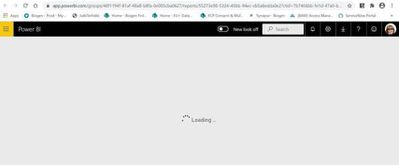
One of our users has informed us that they cannot see the report which they clicked on, and all they see is a loading screen. 


We have verified that they have security access to the report as well as row level security. There's no issue seeing the reports when I try to view as their account.


They have tested this on both chrome and IE, with the same result. What could be causing this issue? No other user has reported this behavior before.


hahmed_1-1594832915946.jpeg


1 ACCEPTED SOLUTION
v-diye-msft
Community Support
Community Support

Hi @hahmed 


what's the license of the user? Pro trial? Or the external free user? Kindly refer to below similar threads for more pointers:

https://community.powerbi.com/t5/Service/stuck-on-loading/m-p/1149644 

https://community.powerbi.com/t5/Service/The-report-takes-a-lot-of-time-to-be-loaded/m-p/866383 


Community Support Team _ Dina Ye
If this post helps, then please consider Accept it as the solution to help the other members find it more
quickly.

View solution in original post

5 REPLIES 5
MRK_240293
New Member

I tried navigating into the workspace and access the report. Still nothing to avail.

v-diye-msft
Community Support
Community Support

Hi @hahmed 


what's the license of the user? Pro trial? Or the external free user? Kindly refer to below similar threads for more pointers:

https://community.powerbi.com/t5/Service/stuck-on-loading/m-p/1149644 

https://community.powerbi.com/t5/Service/The-report-takes-a-lot-of-time-to-be-loaded/m-p/866383 


Community Support Team _ Dina Ye
If this post helps, then please consider Accept it as the solution to help the other members find it more
quickly.
Anonymous
Not applicable

I have two users in my organization experiencing this as well. RLS is configured the same as for users that are not experiencing this issue. Report works with no issues when Viewed As the impacted users and the report is confirmed shared with the impacted users. Tried using multiple browsers, incognito login and got the same loading screen that never loads. 


Anonymous
Not applicable

I was able to get our user in. When they were experiencing the issue, they were going into the report by clicking the email link they received to the report when it was shared. I had the user log in directly to powerbi.com and they were able to authenticate properly and get access to the report from the Shared With Me section.

I think this may be our user's issue as well ! they are using a link from several months ago via email, so I just gave them the instructions to find the dashboard themselves and will see if that resolves the problem. Thanks !

Helpful resources

Announcements
April Power BI Update Carousel

Power BI Monthly Update - April 2026

Check out the April 2026 Power BI update to learn about new features.

New to Fabric survey Carousel

New to Fabric Survey

If you have recently started exploring Fabric, we'd love to hear how it's going. Your feedback can help with product improvements.

Power BI DataViz World Championships carousel

Power BI DataViz World Championships - June 2026

A new Power BI DataViz World Championship is coming this June! Don't miss out on submitting your entry.

FabCon and SQLCon Highlights Carousel

FabCon &SQLCon Highlights

Experience the highlights from FabCon & SQLCon, available live and on-demand starting April 14th.