Join us at FabCon Atlanta from March 16 - 20, 2026, for the ultimate Fabric, Power BI, AI and SQL community-led event. Save $200 with code FABCOMM.
Register now!The Power BI Data Visualization World Championships is back! Get ahead of the game and start preparing now! Learn more
Hi,
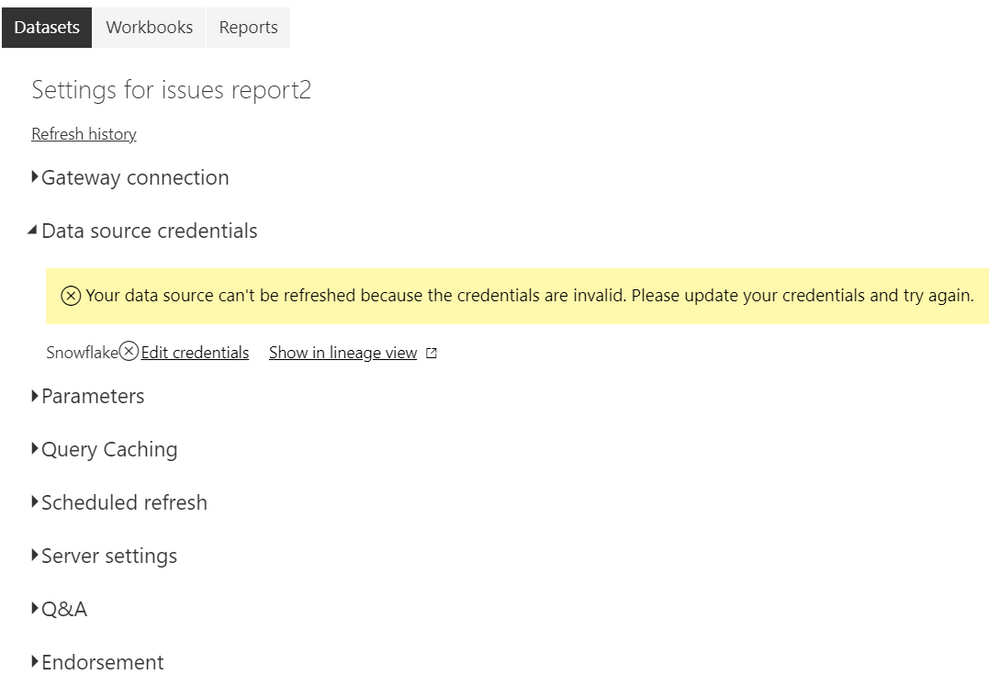
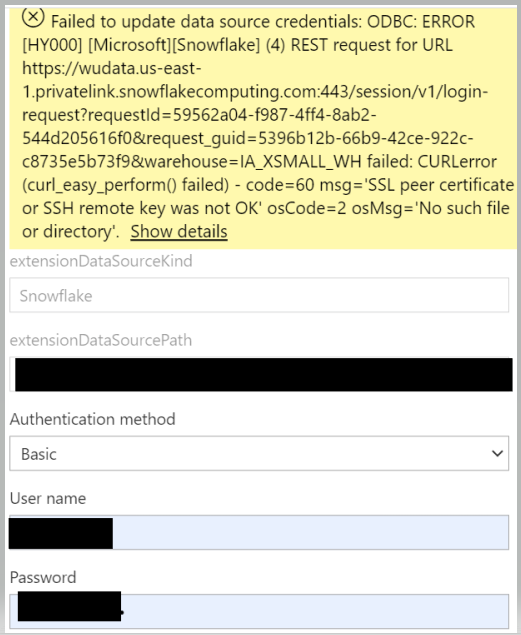
I am receiving the error below and could not find a solution.
Hi, @Anonymous
Could you please tell me whether your problem has been solved?
If yes, you could accept the helpful answer as solution. You also could share your own solution here. For now, there is no content of description in the thread. If you still need help, please share more details to us.
Best Regards,
Community Support Team _ Eason
Hi, @Anonymous
Did your network use Proxy?
I would suggest you change some settings on your machine follow this blog:
Connecting-through-a-proxy-with-PowerBI-Desktop
Also you can take a look at solution in this similar thread:
CURLerror-SSL-peer-certificate-or-SSH-remote-key-was-not-OK-during
error-hy000-snowflakesnowflake-4-curle...
Best Regards,
Community Support Team _ Eason
Hi, @Anonymous
Can the report be refreshed normally on the desktop?
In addition, please ensure that the credentials on the desktop and service are the same.
You also can create a ticket to ask support team for help.
https://powerbi.microsoft.com/en-us/support/
Best Regards,
Community Support Team _ Eason
Yes, the report can be refreshed normally on the desktop and credentials on the desktop and service are the same .
The Power BI Data Visualization World Championships is back! Get ahead of the game and start preparing now!