Don't miss your chance to take the Fabric Data Engineer (DP-600) exam for FREE! Find out how by watching the DP-600 session on-demand now through April 28th.
Learn moreJoin the FabCon + SQLCon recap series. Up next: Power BI, Real-Time Intelligence, IQ and AI, and Data Factory take center stage. All sessions are available on-demand after the live show. Register now
Hi,
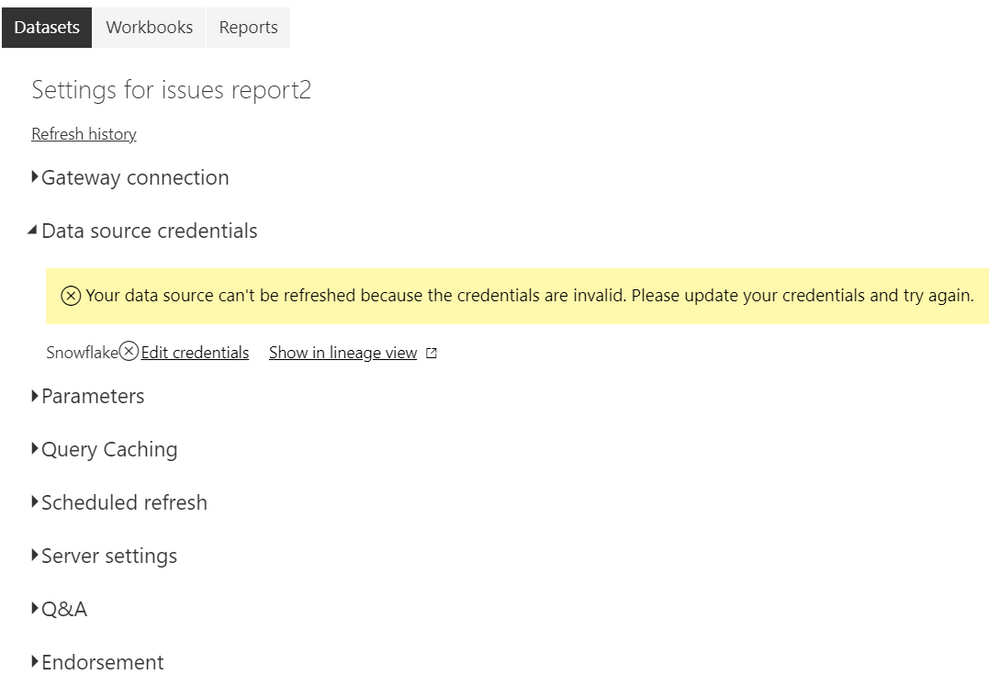
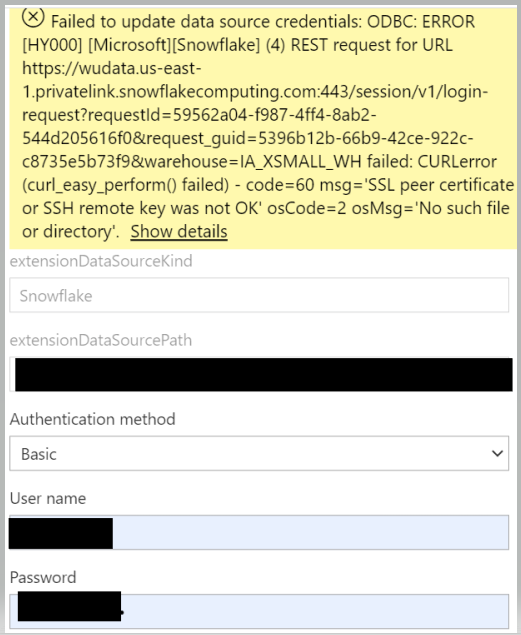
I am receiving the error below and could not find a solution.
Hi, @Anonymous
Could you please tell me whether your problem has been solved?
If yes, you could accept the helpful answer as solution. You also could share your own solution here. For now, there is no content of description in the thread. If you still need help, please share more details to us.
Best Regards,
Community Support Team _ Eason
Hi, @Anonymous
Did your network use Proxy?
I would suggest you change some settings on your machine follow this blog:
Connecting-through-a-proxy-with-PowerBI-Desktop
Also you can take a look at solution in this similar thread:
CURLerror-SSL-peer-certificate-or-SSH-remote-key-was-not-OK-during
error-hy000-snowflakesnowflake-4-curle...
Best Regards,
Community Support Team _ Eason
Hi, @Anonymous
Can the report be refreshed normally on the desktop?
In addition, please ensure that the credentials on the desktop and service are the same.
You also can create a ticket to ask support team for help.
https://powerbi.microsoft.com/en-us/support/
Best Regards,
Community Support Team _ Eason
Yes, the report can be refreshed normally on the desktop and credentials on the desktop and service are the same .
Check out the April 2026 Power BI update to learn about new features.
If you have recently started exploring Fabric, we'd love to hear how it's going. Your feedback can help with product improvements.
A new Power BI DataViz World Championship is coming this June! Don't miss out on submitting your entry.
| User | Count |
|---|---|
| 9 | |
| 8 | |
| 8 | |
| 8 | |
| 7 |
| User | Count |
|---|---|
| 38 | |
| 30 | |
| 26 | |
| 24 | |
| 19 |