Join us at FabCon Atlanta from March 16 - 20, 2026, for the ultimate Fabric, Power BI, AI and SQL community-led event. Save $200 with code FABCOMM.
Register now!Vote for your favorite vizzies from the Power BI Dataviz World Championship submissions. Vote now!
Hello experts there,
I have some issues when visualize this.
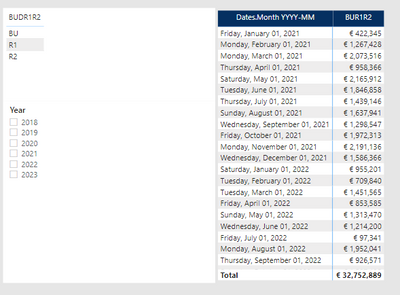
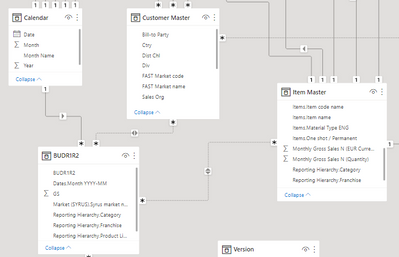
I have 1 monthly Budget table, with 3 versions: BU, R1 and R2.
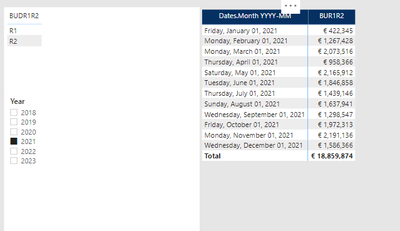
For 2021 table contains only R1 & R2, no BU
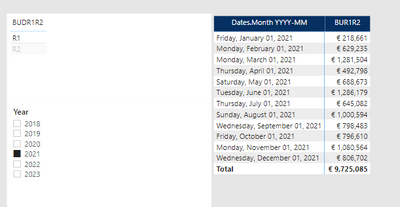
For 2021, I only have R1 and R2, it visual correctly when i filter verion
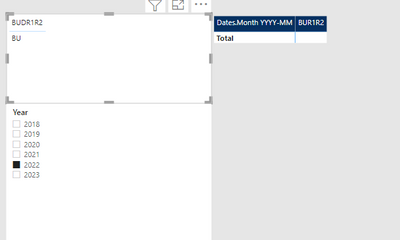
I have problem with 2022.
For 2022, table only contains BU, no R1 or R2 yet.
I cant understand this. Do you have any idea? how can i display 2022 BU in this case?
thanks for you advises
Hi @Anonymous ,
Can you share the calculation that is populating your [BUR1R2] column please?
Pete
Proud to be a Datanaut!
Hi @Anonymous,
Which key column do you use to connect table "BUDR1R2" and Calendar?
Best Regards,
Kelly
Did I answer your question? Mark my reply as a solution!
Hi Kelly,
it is Date column & date.month YYYY-DD, both date format.
Hi @Anonymous ,
Can you create a simple sample for test?
Best Regards,
Kelly
Did I answer your question? Mark my reply as a solution!
If you love stickers, then you will definitely want to check out our Community Sticker Challenge!
Check out the January 2026 Power BI update to learn about new features.
| User | Count |
|---|---|
| 7 | |
| 5 | |
| 4 | |
| 3 | |
| 3 |
| User | Count |
|---|---|
| 15 | |
| 11 | |
| 11 | |
| 8 | |
| 6 |