This time we’re going bigger than ever. Fabric, Power BI, SQL, AI and more. We're covering it all. You won't want to miss it.
Learn moreLevel up your Power BI skills this month - build one visual each week and tell better stories with data! Get started
Hello experts there,
I have some issues when visualize this.
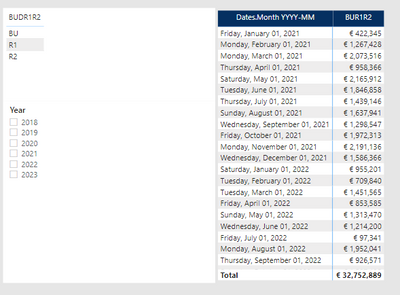
I have 1 monthly Budget table, with 3 versions: BU, R1 and R2.
For 2021 table contains only R1 & R2, no BU
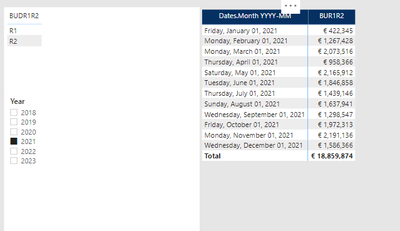
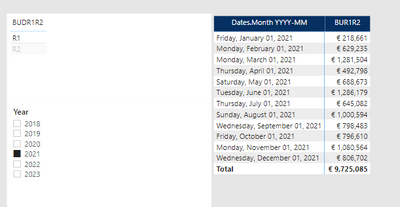
For 2021, I only have R1 and R2, it visual correctly when i filter verion
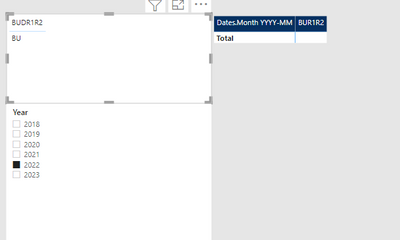
I have problem with 2022.
For 2022, table only contains BU, no R1 or R2 yet.
I cant understand this. Do you have any idea? how can i display 2022 BU in this case?
thanks for you advises
Hi @Anonymous ,
Can you share the calculation that is populating your [BUR1R2] column please?
Pete
Proud to be a Datanaut!
Hi @Anonymous,
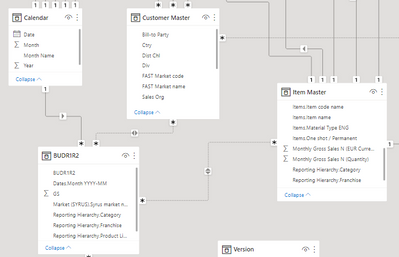
Which key column do you use to connect table "BUDR1R2" and Calendar?
Best Regards,
Kelly
Did I answer your question? Mark my reply as a solution!
Hi Kelly,
it is Date column & date.month YYYY-DD, both date format.
Hi @Anonymous ,
Can you create a simple sample for test?
Best Regards,
Kelly
Did I answer your question? Mark my reply as a solution!
Check out the April 2026 Power BI update to learn about new features.
Sign up to receive a private message when registration opens and key events begin.
If you have recently started exploring Fabric, we'd love to hear how it's going. Your feedback can help with product improvements.
| User | Count |
|---|---|
| 3 | |
| 3 | |
| 2 | |
| 2 | |
| 2 |