Join us at FabCon Atlanta from March 16 - 20, 2026, for the ultimate Fabric, Power BI, AI and SQL community-led event. Save $200 with code FABCOMM.
Register now!Vote for your favorite vizzies from the Power BI Dataviz World Championship submissions. Vote now!
Hello experts there,
I have some issues when visualize this.
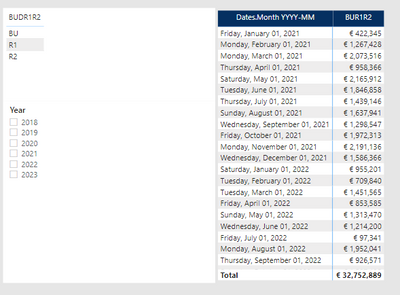
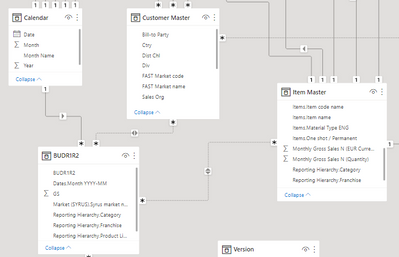
I have 1 monthly Budget table, with 3 versions: BU, R1 and R2.
For 2021 table contains only R1 & R2, no BU
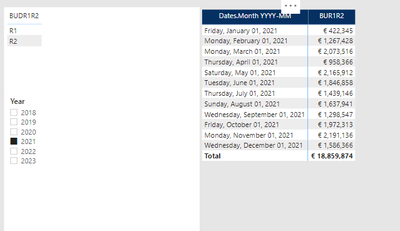
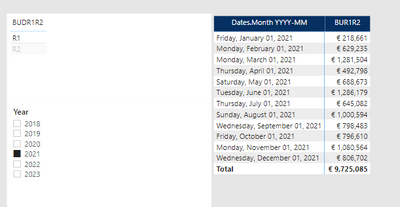
For 2021, I only have R1 and R2, it visual correctly when i filter verion
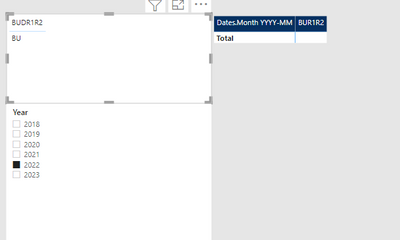
I have problem with 2022.
For 2022, table only contains BU, no R1 or R2 yet.
I cant understand this. Do you have any idea? how can i display 2022 BU in this case?
thanks for you advises
Hi @Anonymous ,
Can you share the calculation that is populating your [BUR1R2] column please?
Pete
Proud to be a Datanaut!
Hi @Anonymous,
Which key column do you use to connect table "BUDR1R2" and Calendar?
Best Regards,
Kelly
Did I answer your question? Mark my reply as a solution!
Hi Kelly,
it is Date column & date.month YYYY-DD, both date format.
Hi @Anonymous ,
Can you create a simple sample for test?
Best Regards,
Kelly
Did I answer your question? Mark my reply as a solution!
Vote for your favorite vizzies from the Power BI World Championship submissions!
If you love stickers, then you will definitely want to check out our Community Sticker Challenge!
Check out the January 2026 Power BI update to learn about new features.
| User | Count |
|---|---|
| 11 | |
| 10 | |
| 6 | |
| 6 | |
| 5 |