cancel
Showing results for 
Search instead for 
Did you mean: 

Data Days is here! Join us now for 60+ days of learning, challenges, and connection. Learn more

Reply
Anonymous
Not applicable

Need help Date visualization

Hello experts there, 

I have some issues when visualize this. 

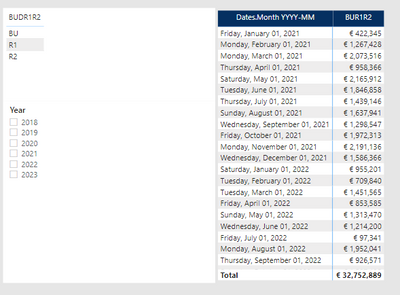
I have 1 monthly Budget table, with 3 versions: BU, R1 and R2.

For 2021 table contains only R1 & R2, no BU

bbui_0-1635425178339.png

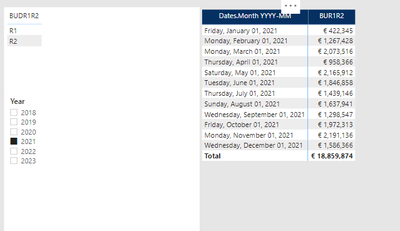
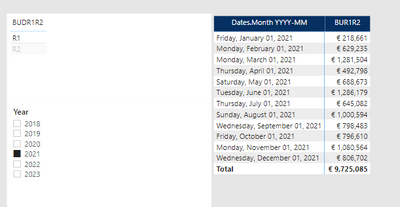
For 2021, I only have R1 and R2, it visual correctly when i filter verion

bbui_1-1635425353421.png

bbui_2-1635425380378.png

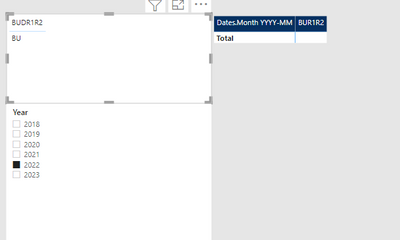
I have problem with 2022. 

For 2022, table only contains BU, no R1 or R2 yet. 

bbui_3-1635425419409.png

I cant understand this. Do you have any idea? how can i display 2022 BU in this case? 


thanks for you advises 

5 REPLIES 5
BA_Pete
Super User
Super User

Hi @Anonymous ,


Can you share the calculation that is populating your [BUR1R2] column please?


Pete


Now accepting Kudos! If my post helped you, why not give it a thumbs-up?

Proud to be a Datanaut!


Anonymous
Not applicable

Hi @BA_Pete 

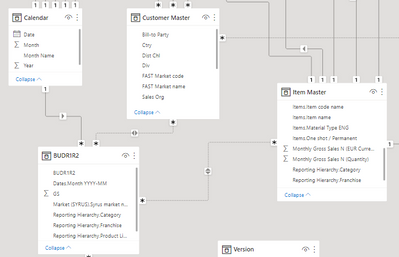
I cal BUR1R2 using USERELATIONSHIP

bbui_1-1635436055550.png


Hi  @Anonymous,


Which key column do you use to connect table "BUDR1R2" and Calendar?


Best Regards,
Kelly

Did I answer your question? Mark my reply as a solution!

Anonymous
Not applicable

Hi Kelly,

it is Date column & date.month YYYY-DD, both date format. 

Hi  @Anonymous ,


Can you create a simple sample for test?


Best Regards,
Kelly

Did I answer your question? Mark my reply as a solution!

Helpful resources

Announcements
Fabric Data Days is here Carousel

Fabric Data Days 2026

Don't miss out on Data Days, June 15 through August 7. Learn Fabric, Power BI, SQL, AI and more.

May Power BI Update Carousel

Power BI Monthly Update - May 2026

Check out the May 2026 Power BI update to learn about new features.

Power BI DataViz World Championships carousel

Power BI DataViz World Championships - June 2026

A new Power BI DataViz World Championship is coming this June! Don't miss out on submitting your entry.