We've captured the moments from FabCon & SQLCon that everyone is talking about, and we are bringing them to the community, live and on-demand. Starts on April 14th. Register now
Hey,
This might be a stupid question, but I seem to have a general misunderstanding when using Measures, Filters and the DAX USERELATIONSHIP function.
I seems to work just fine for my dataset, but I always need to make a selection thus filter the data for which it then evaluates the measure using USERELATIONSHIP correctly. If I unselect everything it seems to ignore the USERELATIONSHIP calculation and gives the results without it.
I just have 2 tables with an inactive relationship:
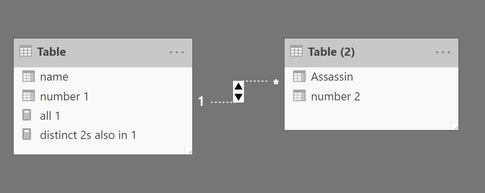
My measure is showing distinct values as such:
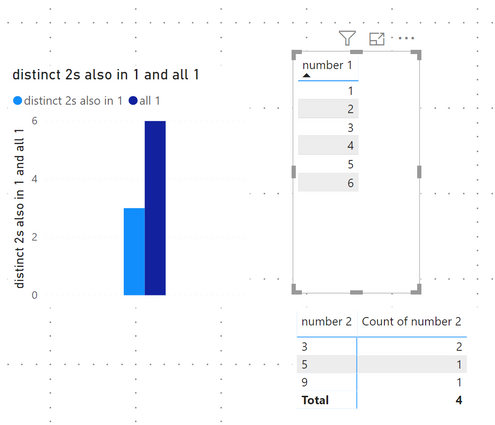
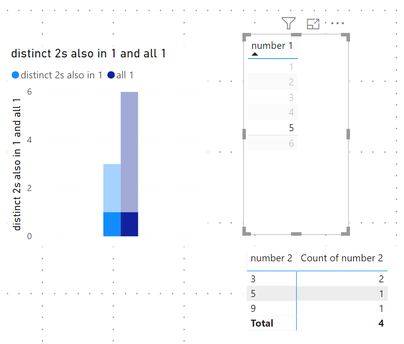
If I make a selection in the number 1 table it shows the values correctly as only '1'
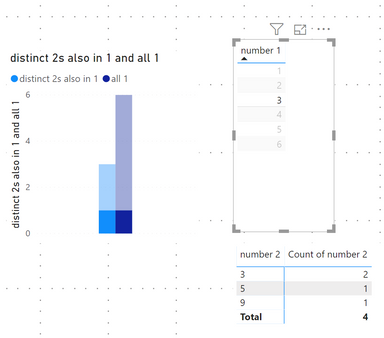
How can I get the result of '2' for my measure posted above that works without a selection?
I uploaded a very simple pbix file to show what I mean.
Thanks for your help.
Hi @systemic_till ,
You can add write measure to calculate table2 records with if statement to compare current row contents with tbale1 records:
Measure =
IF (
SELECTEDVALUE ( 'Table (2)'[number 2] ) IN VALUES ( 'Table'[number 1] ),
CALCULATE (
COUNT ( 'Table (2)'[number 2] ),
USERELATIONSHIP ( 'Table'[number 1], 'Table (2)'[number 2] )
)
)
If above not help, please explain your requirement more clarify with the expected result.
Regards,
Xiaoxin Sheng
Hi @v-pn ,
Thanks for you answer.
It didn't clarify my issue though.
In my setup, everything works as expected, if I make a selection.
Only when nothing is selected I am getting confusing results.
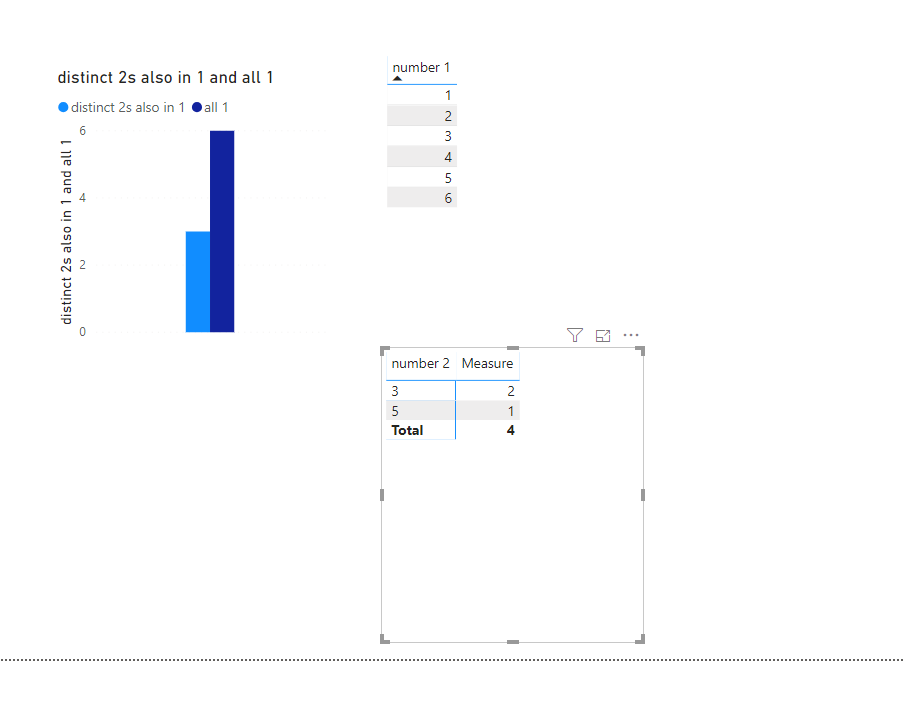
My expected result is 2, when nothing is selected.
Yet, I get a result of 3 as if the USERELATIONSHIP filter was missing entirely.
So, to clarify:
// Measure 1
no relationship = CALCULATE (DISTINCTCOUNT('Table (2)'[number 2])
==> that gives 3. That's ok.
//Measure 2
distinct 2s also in 1 =
If you have recently started exploring Fabric, we'd love to hear how it's going. Your feedback can help with product improvements.
A new Power BI DataViz World Championship is coming this June! Don't miss out on submitting your entry.
Share feedback directly with Fabric product managers, participate in targeted research studies and influence the Fabric roadmap.
| User | Count |
|---|---|
| 53 | |
| 38 | |
| 33 | |
| 17 | |
| 17 |
| User | Count |
|---|---|
| 67 | |
| 62 | |
| 38 | |
| 34 | |
| 22 |