Don't miss your chance to take exam DP-600 or DP-700 on us!
Request nowLearn from the best! Meet the four finalists headed to the FINALS of the Power BI Dataviz World Championships! Register now
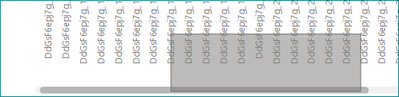
clicking on a horizontal scroll bar of any plot on the web report opens a selection tool that creates a rectangle selection of data, instead of dragging the scroll bar.
Proud to be a Super User!
in the report, i clicked on the bottom left corner of the rectangle to drag the scroll bar, but the rectangle appears
btw, clicking with the right button works to scroll, although of course when released it shows the context menu.
hi @Anonymous
Just release the left mouse button, then it should work.
Regards,
Lin
Share feedback directly with Fabric product managers, participate in targeted research studies and influence the Fabric roadmap.
Check out the February 2026 Power BI update to learn about new features.