Don't miss your chance to take the Fabric Data Engineer (DP-600) exam for FREE! Find out how by watching the DP-600 session on-demand now through April 28th.
Learn moreJoin the FabCon + SQLCon recap series. Up next: Power BI, Real-Time Intelligence, IQ and AI, and Data Factory take center stage. All sessions are available on-demand after the live show. Register now
Helllo
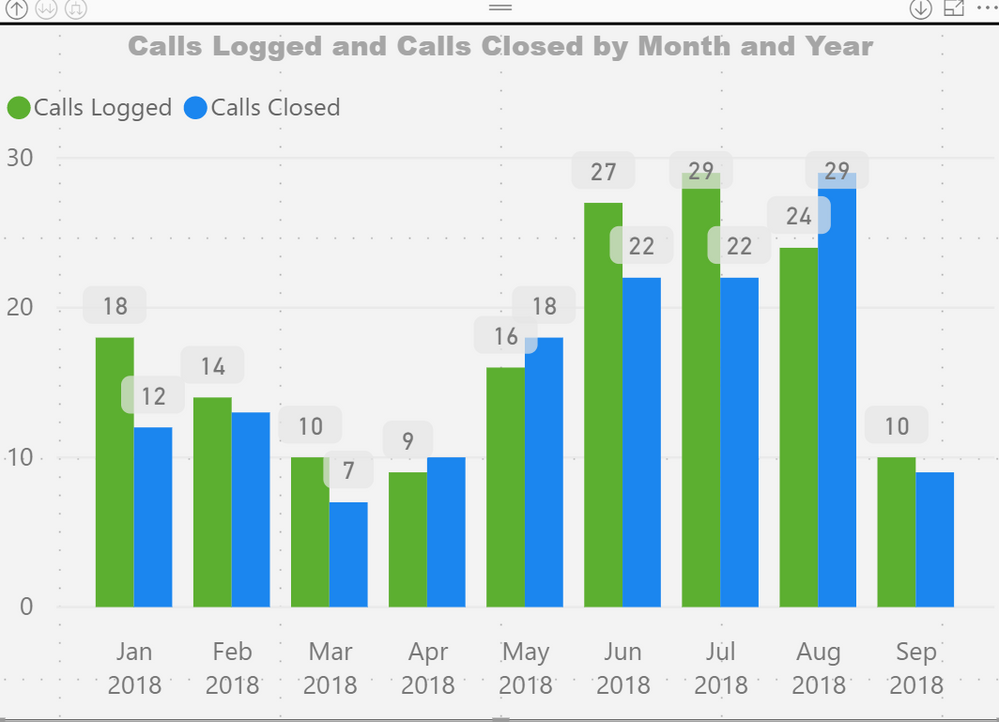
Is anyone else having issues with new preview workspaces? I am currently trialling a new preview workspace but having issues. If I publish a report to the new preview workspace several visualations are missing but if I publish the same report to an existing old version workspace then the visualations are present. I have admin access to both workspaces. My data source is an oodata feed and configured the same for both reports in both workspaces. I have attached screen print of the same visualation but in the different workspace to illustrate the difference.
Thanks in advance
.new workspace preview
original workspace
Hello
Unfortunately I cannot share the pbix as it contains personal identifiers. However, the PBIX file works fine and refreshes OK it's when I publish to the service the issue occurs. When the PBIX is initially published to the service all visuals are fine. It when a scheduled refresh occurs the problems happen.
I have configured my data source credentials for the odata data source
using the credentials that I use to connect to the data source from Power BI desktop - this should be sufficient shouldn't it? I'm configuring the credentials using basic authentification.
Hoping you can help and thanks in advance
Hi @Anonymous,
Your description here is some basic steps. I can't reproduce the issue with them. I would suggest you create a support ticket here.
Best Regards,
Dale
Check out the April 2026 Power BI update to learn about new features.
If you have recently started exploring Fabric, we'd love to hear how it's going. Your feedback can help with product improvements.
A new Power BI DataViz World Championship is coming this June! Don't miss out on submitting your entry.
| User | Count |
|---|---|
| 9 | |
| 8 | |
| 8 | |
| 8 | |
| 7 |
| User | Count |
|---|---|
| 37 | |
| 29 | |
| 26 | |
| 19 | |
| 19 |