Don't miss your chance to take the Fabric Data Engineer (DP-600) exam for FREE! Find out how by watching the DP-600 session on-demand now through April 28th.
Learn moreJoin the FabCon + SQLCon recap series. Up next: Power BI, Real-Time Intelligence, IQ and AI, and Data Factory take center stage. All sessions are available on-demand after the live show. Register now
Hi All,
We have a situation where we have several workspaces containing datasets with RLS which are created by a dataset team.
Report developers connect to these datasets to combine and produce reports published into another workspace to be shared with the end users through an app.
RLS is applied from the original datasets to the developers and to the end users. We have tested the RLS with the report developers and it is working as expected when the datasets are combined.
The end users however do not see any data in the visuals and get the following error message
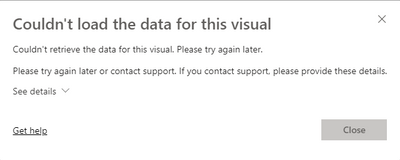
The developers have viewer, build and reshare on the original datasets.
The end users have viewer on the datasets
Any help would be appreciated in how to resolve this issue.
Thanks,
George
Solved! Go to Solution.
Hi @judspud
Can you also make sure that under the dataset, then Manage Permissions that the same users have got Read & Build Permisisons if using Power BI Pro. If your datasets are in Premium or Premium Per User make sure that under the dataset, then Manage Permissions that the same users have got Read
Hi @judspud ,
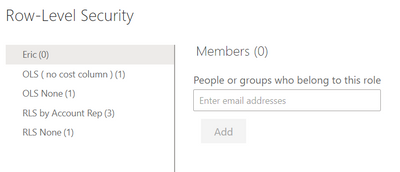
You need to assign role to user to apply RLS filter, otherwise they will got this can't load data error.
Row-level security (RLS) with Power BI
BTW, current RLS only works on read permission, so admin and dataset owner can see each records even if they not get RLS roles.
This is the related document, you can view this content:
https://community.powerbi.com/t5/Service/Could-Not-Load-the-Data-from-this-Visual/m-p/431773
Best Regards,
Liu Yang
If this post helps, then please consider Accept it as the solution to help the other members find it more quickly.
Users have to:
Are you missing any of these? I usually miss no 3.
Hi @judspud
Can you also make sure that under the dataset, then Manage Permissions that the same users have got Read & Build Permisisons if using Power BI Pro. If your datasets are in Premium or Premium Per User make sure that under the dataset, then Manage Permissions that the same users have got Read
Check out the April 2026 Power BI update to learn about new features.
If you have recently started exploring Fabric, we'd love to hear how it's going. Your feedback can help with product improvements.
A new Power BI DataViz World Championship is coming this June! Don't miss out on submitting your entry.
| User | Count |
|---|---|
| 9 | |
| 8 | |
| 8 | |
| 8 | |
| 7 |
| User | Count |
|---|---|
| 38 | |
| 30 | |
| 26 | |
| 24 | |
| 19 |