Get certified for free when you join Fabric Data Days 2026 and dive into Fabric, Power BI, SQL, AI, and other essential data skills.
Join nowJuly 7 - July 17 | Round 2 of the Power BI Dataviz World Championships. Don't miss your chance! Learn more
Hi - I have a small (2MB) query that I'm attempting to refresh via schedule in app.powerbi.com and I keep hitting these timeout errors after about 10-15 minutes. The source files are JSON's.
Is there a way to change the timeout setting so that the query runs longer and is able to complete?
Thanks in advance~
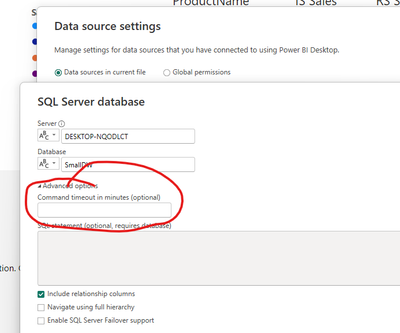
Change the timeout of your data source
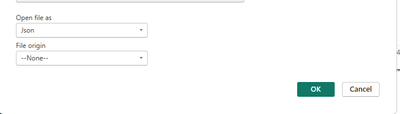
I don't have that option - since the files are JSON's; unless there is something that I'm missing?
So, is the JSON file on disk somewhere or are you calling a WEB API to get the JSON file?
Also, can you read the file into the Power BI Desktop with any issues?
The JSON files are stored locally on my machine; and I can load/refresh them into PowerBI Desktop with no issues.
Join us in Barcelona for FabCon and SQLCon, the Fabric, Power BI, SQL, and AI community event. Save €200 with code FABCMTY200.
If you love stickers, then you will definitely want to check out our community sticker challenge, Barcelona edition!
Check out the July 2026 Power BI update to learn about new features.
| User | Count |
|---|---|
| 17 | |
| 7 | |
| 6 | |
| 6 | |
| 5 |