Get certified for free when you join Fabric Data Days 2026 and dive into Fabric, Power BI, SQL, AI, and other essential data skills.
Join nowData Days is here! Join us now for 60+ days of learning, challenges, and connection. Learn more
Hi - I have a small (2MB) query that I'm attempting to refresh via schedule in app.powerbi.com and I keep hitting these timeout errors after about 10-15 minutes. The source files are JSON's.
Is there a way to change the timeout setting so that the query runs longer and is able to complete?
Thanks in advance~
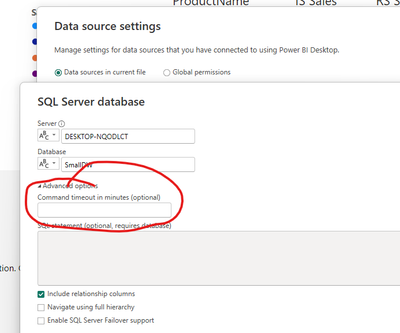
Change the timeout of your data source
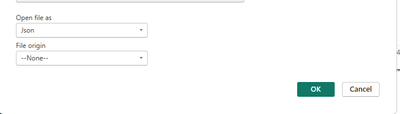
I don't have that option - since the files are JSON's; unless there is something that I'm missing?
So, is the JSON file on disk somewhere or are you calling a WEB API to get the JSON file?
Also, can you read the file into the Power BI Desktop with any issues?
The JSON files are stored locally on my machine; and I can load/refresh them into PowerBI Desktop with no issues.
Don't miss out on Data Days, June 15 through August 7. Learn Fabric, Power BI, SQL, AI and more.
Check out the May 2026 Power BI update to learn about new features.
| User | Count |
|---|---|
| 16 | |
| 11 | |
| 10 | |
| 8 | |
| 7 |
| User | Count |
|---|---|
| 41 | |
| 36 | |
| 36 | |
| 28 | |
| 20 |