cancel
Showing results for 
Search instead for 
Did you mean: 

The Power BI Data Visualization World Championships is back! It's time to submit your entry. Live now!

Reply
Shure846
Helper III
Helper III

JSON datasource - timeout

Hi - I have a small (2MB) query that I'm attempting to refresh via schedule in app.powerbi.com and I keep hitting these timeout errors after about 10-15 minutes. The source files are JSON's. 


Is there a way to change the timeout setting so that the query runs longer and is able to complete? 

  • Data source error{"error":{"code":"DM_GWPipeline_Gateway_AdoNetProviderOpenConnectionTimeoutError","pbi.error":{"code":"DM_GWPipeline_Gateway_AdoNetProviderOpenConnectionTimeoutError","parameters":{},"details":[],"exceptionCulprit":1}}} Table: Pork - history.
  • Cluster URIWABI-US-EAST2-redirect.analysis.windows.net
  • Activity ID5fcf5baf-58ec-4993-a806-608820daadd1
  • Request ID883ad05f-b025-2d77-eb24-5463a0e0112c
  • Time2024-04-26 12:01:20Z

Thanks in advance~

4 REPLIES 4
Anonymous
Not applicable

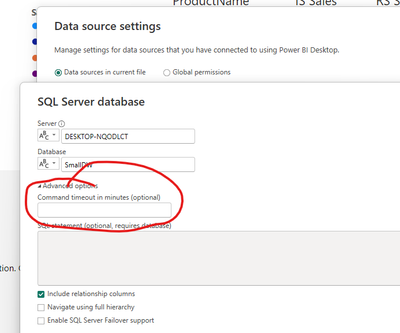
Change the timeout of your data source 

3CloudThomas_0-1714138334428.png


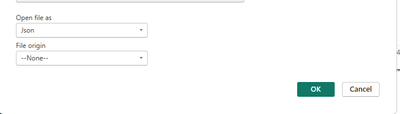
I don't have that option - since the files are JSON's; unless there is something that I'm missing? 

Shure846_0-1714139054044.png


Anonymous
Not applicable

So, is the JSON file on disk somewhere or are you calling a WEB API to get the JSON file?

Also, can you read the file into the Power BI Desktop with any issues?

The JSON files are stored locally on my machine; and I can load/refresh them into PowerBI Desktop with no issues. 

Helpful resources

Announcements
December 2025 Power BI Update Carousel

Power BI Monthly Update - December 2025

Check out the December 2025 Power BI Holiday Recap!

FabCon Atlanta 2026 carousel

FabCon Atlanta 2026

Join us at FabCon Atlanta, March 16-20, for the ultimate Fabric, Power BI, AI and SQL community-led event. Save $200 with code FABCOMM.