Get certified for free when you join Fabric Data Days 2026 and dive into Fabric, Power BI, SQL, AI, and other essential data skills.
Join nowJuly 28 - August 9 | Final Round of the Power BI Dataviz World Championships. This is your chance. Learn more
Hello Power Bi team, I have a problem with the gateway.
Actually I have created my olap cube.
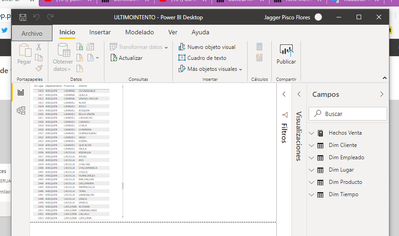
I already published my graph
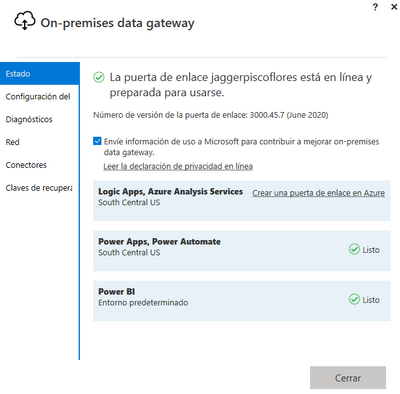
I also have my gateway connected
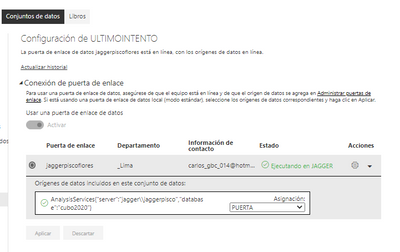
and I already made the configuration to connect power bi with my olap cube
The connection is correc
apparently everything is fine
but i still have trouble showing my charts
I do not know what I'm doing wrong. I hope you can find my solution in this forum. thanks to everyone beforehand.
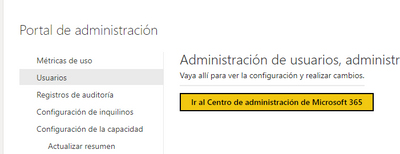
I am an administrator of the 365 account and I have made the configuration of the dns according to microsfot.
I hope you can help me, thank you and I apologize if I posted many images.
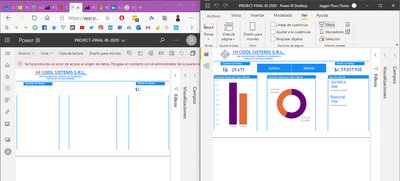
This is the message I get and I can't fix
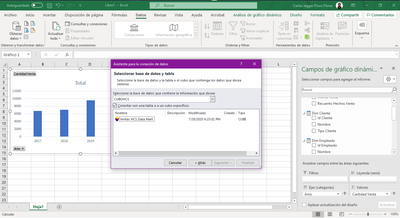
Can you access the OLAP cube from Excel?
Thank you dear, for responding.
Yes, in Excel it recognizes my OLAP cube.
I'm still having trouble with the gateway.
:'c
♡
Thank u so much
! understand your precious Topic
! would like to know how you solved it .please
♡
Please raise a support ticket to investigate the issue.
And attached the few screenshots in the support ticket to understand.
Please post the suport ticket here for quick traction.
Did I answer your question? Mark my post as a solution! Appreciate your Kudos!!
In case it does not help, please provide additional information and mark me with @
"but i still have trouble showing my charts"
I don't understand what that has to do with the gateway. Can you please elaborate?
I have a project that I published and despite having my gateway, I cannot connect my graphics online, because the error "A data source access error has occurred. Please contact the administrator of the gateway link".
Excuse me if I don't know how to express myself, thanks.
Join us in Barcelona for FabCon and SQLCon, the Fabric, Power BI, SQL, and AI community event. Save €200 with code FABCMTY200.
If you love stickers, then you will definitely want to check out our community sticker challenge, Barcelona edition!
Check out the July 2026 Power BI update to learn about new features.
| User | Count |
|---|---|
| 15 | |
| 8 | |
| 7 | |
| 6 | |
| 5 |