Join us at FabCon Atlanta from March 16 - 20, 2026, for the ultimate Fabric, Power BI, AI and SQL community-led event. Save $200 with code FABCOMM.
Register now!The Power BI Data Visualization World Championships is back! It's time to submit your entry. Live now!
Hello Power Bi team, I have a problem with the gateway.
Actually I have created my olap cube.
I already published my graph
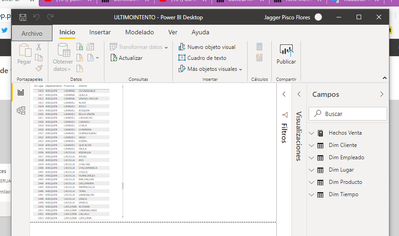
I also have my gateway connected
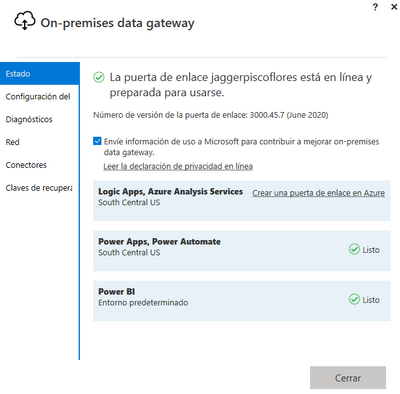
and I already made the configuration to connect power bi with my olap cube
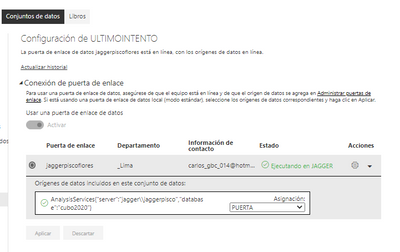
The connection is correc
apparently everything is fine
but i still have trouble showing my charts
I do not know what I'm doing wrong. I hope you can find my solution in this forum. thanks to everyone beforehand.
I am an administrator of the 365 account and I have made the configuration of the dns according to microsfot.
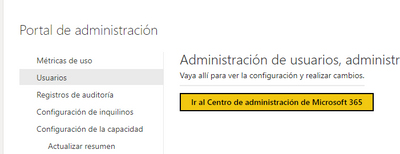
I hope you can help me, thank you and I apologize if I posted many images.
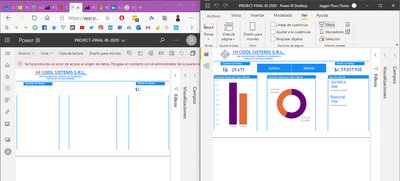
This is the message I get and I can't fix
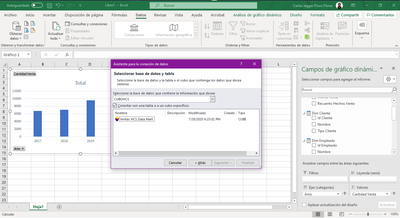
Can you access the OLAP cube from Excel?
Thank you dear, for responding.
Yes, in Excel it recognizes my OLAP cube.
I'm still having trouble with the gateway.
:'c
♡
Thank u so much
! understand your precious Topic
! would like to know how you solved it .please
♡
Please raise a support ticket to investigate the issue.
And attached the few screenshots in the support ticket to understand.
Please post the suport ticket here for quick traction.
Did I answer your question? Mark my post as a solution! Appreciate your Kudos!!
In case it does not help, please provide additional information and mark me with @
"but i still have trouble showing my charts"
I don't understand what that has to do with the gateway. Can you please elaborate?
I have a project that I published and despite having my gateway, I cannot connect my graphics online, because the error "A data source access error has occurred. Please contact the administrator of the gateway link".
Excuse me if I don't know how to express myself, thanks.
The Power BI Data Visualization World Championships is back! It's time to submit your entry.
Check out the January 2026 Power BI update to learn about new features.
| User | Count |
|---|---|
| 22 | |
| 13 | |
| 10 | |
| 7 | |
| 4 |