This time we’re going bigger than ever. Fabric, Power BI, SQL, AI and more. We're covering it all. You won't want to miss it.
Learn moreLevel up your Power BI skills this month - build one visual each week and tell better stories with data! Get started
Hi I created visuals in power bi desktop, then I published it.
It works in desktop , but published report in services created error
MessageThe credentials provided for the GoogleBigQuery source are invalid. (Source at GoogleBigQuery.)
I tried to fix it, but I did not find right place where to do it in services
Hi @pstanek,
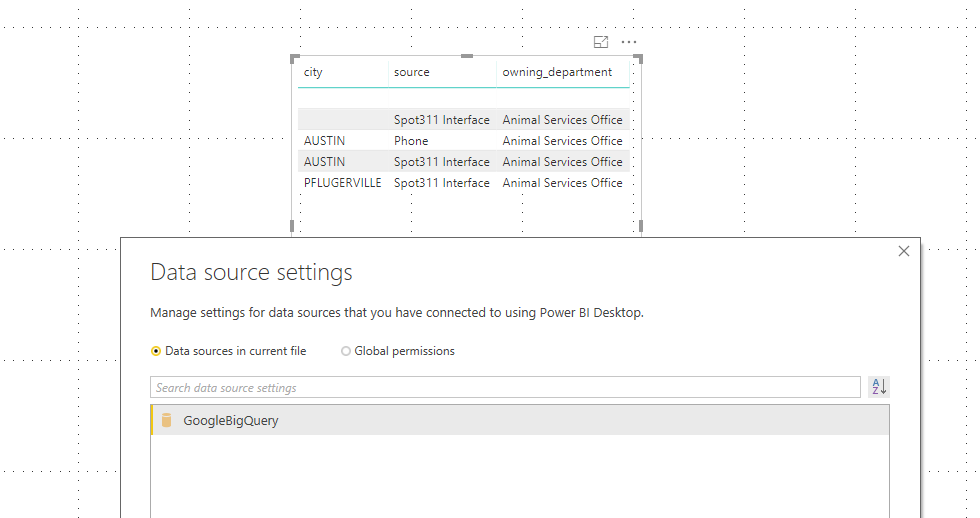
Based on my test, it could work on my side:
Desktop:
Service:
What kind of connection mode you are using? Could you please check the version of the Power BI Desktop(2.62.5222.761 64-bit (September 2018))? And check if you are using same authentication type and account in Power BI Service and Power BI Desktop.
Regards,
Daniel He
I know . It worked several weeks ago. I use direct query to Big Query. I would to to check my access code to Big Query in Service, but I don t know if it is possible.
Check out the April 2026 Power BI update to learn about new features.
Sign up to receive a private message when registration opens and key events begin.
If you have recently started exploring Fabric, we'd love to hear how it's going. Your feedback can help with product improvements.
| User | Count |
|---|---|
| 11 | |
| 9 | |
| 8 | |
| 8 | |
| 7 |
| User | Count |
|---|---|
| 50 | |
| 27 | |
| 25 | |
| 24 | |
| 22 |