Join us at FabCon Atlanta from March 16 - 20, 2026, for the ultimate Fabric, Power BI, AI and SQL community-led event. Save $200 with code FABCOMM.
Register now!The Power BI Data Visualization World Championships is back! Get ahead of the game and start preparing now! Learn more
Hi,
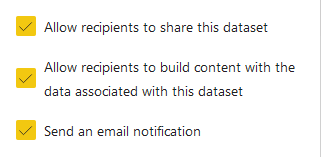
I created a dataset based on a mixed model (Direct Query + Import via Gateway), shared access with customers using the "Share" button (pic below). I can refresh the dataset, but users click on the "Refresh" button and nothing happens. Do you have an idea how to fix it?
Hi @dzmitry_v ,
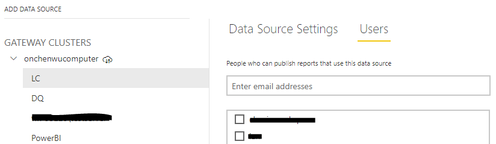
You can let users find the gateway of this shared report in Mange gateways, and check whether the user is mapped to Users
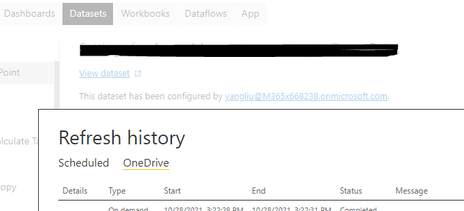
If it exists in the user, but the refresh is still old data, go to Settings-Dataset, find the gateway of this shared report, and click refresh history to view the reason for the refresh failure
https://docs.microsoft.com/en-us/power-bi/connect-data/service-gateway-onprem-tshoot#refresh-history
Best Regards,
Liu Yang
If this post helps, then please consider Accept it as the solution to help the other members find it more quickly.
The Power BI Data Visualization World Championships is back! Get ahead of the game and start preparing now!
| User | Count |
|---|---|
| 55 | |
| 49 | |
| 44 | |
| 16 | |
| 16 |