We've captured the moments from FabCon & SQLCon that everyone is talking about, and we are bringing them to the community, live and on-demand. Starts on April 14th. Register now
I am trying to create a dataflow with only partial values from a table. Is there a way to break the 1-year data into 4 months each and create 4 different dataflows using advanced editor. When I created a dataflow with entire 1-year data (Millions of records), it is taking more than 6 hrs to load that data in Power BI Desktop.
Solved! Go to Solution.
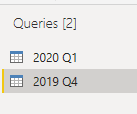
when you have connected to the 4 dataflows in Power BI Desktop like below (I added 2 as an example):
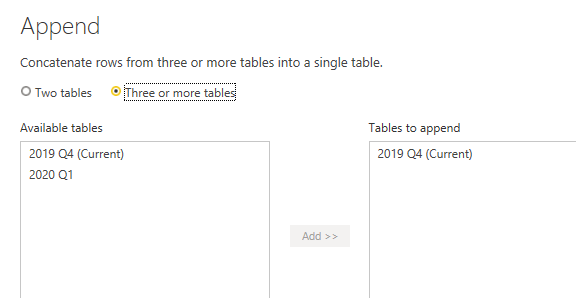
You can join the queries back together with Append Queries:
Hi @neetu14,
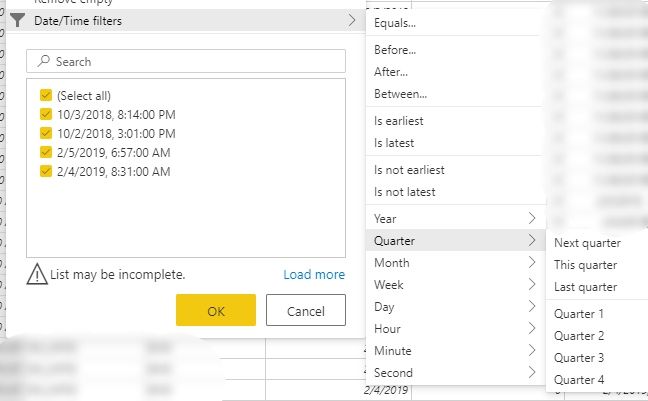
In the editor of the dataflow using a date/datetime column you can use relative filters.
So you can choose Quarter 1 for dataflow 1, Quarter 2 for dataflow 2, etc.
Thank you. it worked 🙂
How do I connect these 4 dataflows together to get the complete data in 1 table in desktop like the original SQL table?
when you have connected to the 4 dataflows in Power BI Desktop like below (I added 2 as an example):
You can join the queries back together with Append Queries:
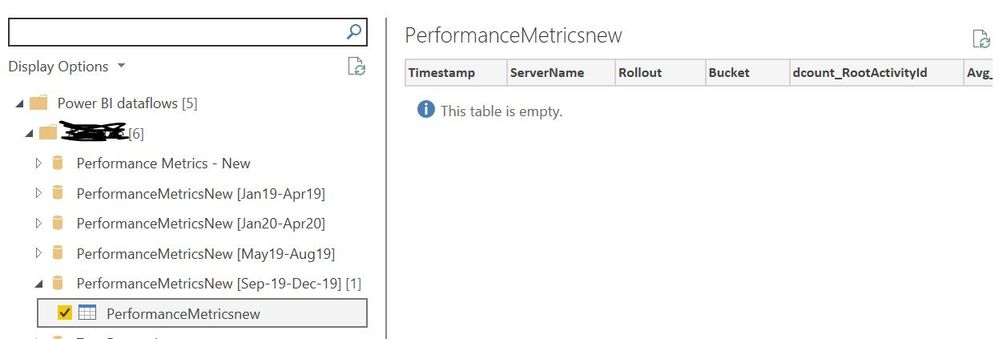
Table is empty after connecting the dataflow 😞
I have tried refreshing dataflow, refreshing the navigation pane in PowerBI desktop and clearing permissions as well but nothing is working.
If you have recently started exploring Fabric, we'd love to hear how it's going. Your feedback can help with product improvements.
A new Power BI DataViz World Championship is coming this June! Don't miss out on submitting your entry.
Share feedback directly with Fabric product managers, participate in targeted research studies and influence the Fabric roadmap.