Get certified for free when you join Fabric Data Days 2026 and dive into Fabric, Power BI, SQL, AI, and other essential data skills.
Join nowTry your skills in the Power BI Dataviz World Championship! Round one ends June 26. Join now
I am trying to create a dataflow with only partial values from a table. Is there a way to break the 1-year data into 4 months each and create 4 different dataflows using advanced editor. When I created a dataflow with entire 1-year data (Millions of records), it is taking more than 6 hrs to load that data in Power BI Desktop.
Solved! Go to Solution.
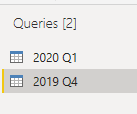
when you have connected to the 4 dataflows in Power BI Desktop like below (I added 2 as an example):
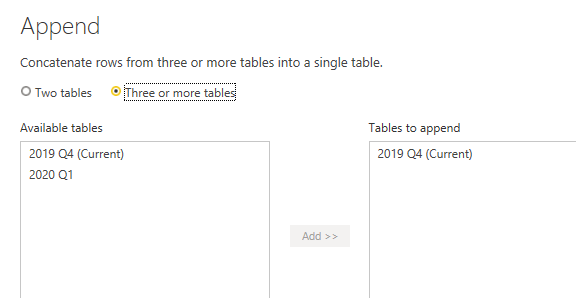
You can join the queries back together with Append Queries:
Hi @neetu14,
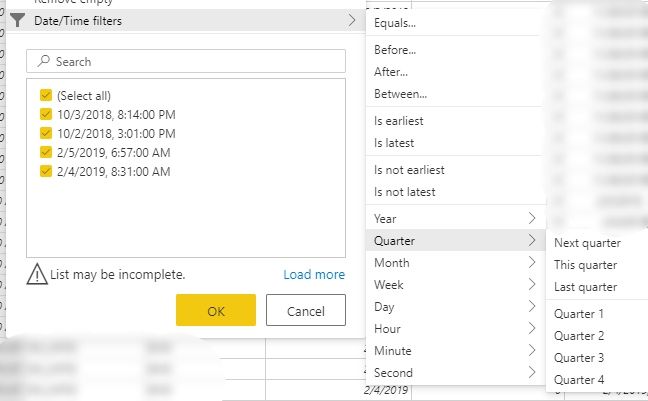
In the editor of the dataflow using a date/datetime column you can use relative filters.
So you can choose Quarter 1 for dataflow 1, Quarter 2 for dataflow 2, etc.
Thank you. it worked 🙂
How do I connect these 4 dataflows together to get the complete data in 1 table in desktop like the original SQL table?
when you have connected to the 4 dataflows in Power BI Desktop like below (I added 2 as an example):
You can join the queries back together with Append Queries:
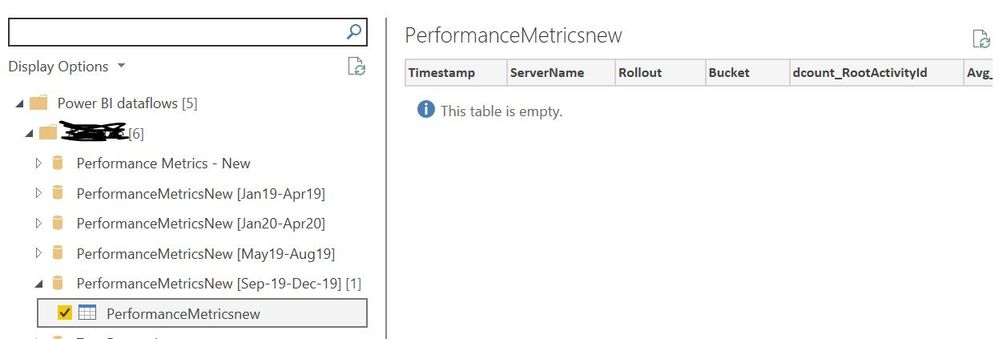
Table is empty after connecting the dataflow 😞
I have tried refreshing dataflow, refreshing the navigation pane in PowerBI desktop and clearing permissions as well but nothing is working.
| User | Count |
|---|---|
| 17 | |
| 11 | |
| 11 | |
| 8 | |
| 7 |
| User | Count |
|---|---|
| 39 | |
| 36 | |
| 35 | |
| 34 | |
| 20 |