cancel
Showing results for 
Search instead for 
Did you mean: 

July 7 - July 17 | Round 2 of the Power BI Dataviz World Championships. Don't miss your chance! Learn more

Reply
chriss06
New Member

Data Flow, SQL Server on the cloud, gateways

Hi,


I have been trying to create my data flow and connect it to my SQL Server hosted on the cloud (on Ubuntu 18.04).

The problem is that I receive the following message : "Unexpected error: Session ID ...."


It's working only when I create and use a gateway on-premise installed on my local computer.


But I shouldn't need this gatewate given that my source is not on-premise... And it's not convenient at all because it would mean that my PC has to be open 24/7 if I want to perform regular data refresh.


What could be the easiest solution?


Thanks

4 REPLIES 4
Icey
Community Support
Community Support

Hi @chriss06 ,


Azure SQL Database doesn't support Azure Active Directory authentication.

Reference: 

https://docs.microsoft.com/en-us/power-bi/service-dataflows-create-use#troubleshooting-data-connecti....


Please try this:

Setup a new SQL Server user in Azure SQL Database, and connect via that login, using the 'Basic' Authentication option in Power Query.

Reference: 

https://community.powerbi.com/t5/Service/Connecting-to-Azure-SQL-Database-via-Dataflows-authenticati....


Best Regards,

Icey


If this post helps, then please consider Accept it as the solution to help the other members find it more quickly.

Hello @Icey ,

I am not using the Azure Active Directory authentification given that I am not using Azure SQL Database as source.


I was trying to use Microsoft SQL Server as source with a Basic authentification. Is there actually no way to connect to this source through the dataflow without an on-premise PowerBI gateway?

Same problem with MySQL by the way...


Christophe


Icey
Community Support
Community Support

Hi @chriss06 ,


I guess your SQL Server and MySQL on Ubuntu 18.04 are behind a firewall, require a VPN, or are on virtual networks. Please check.

If so, you might need a data gateway.

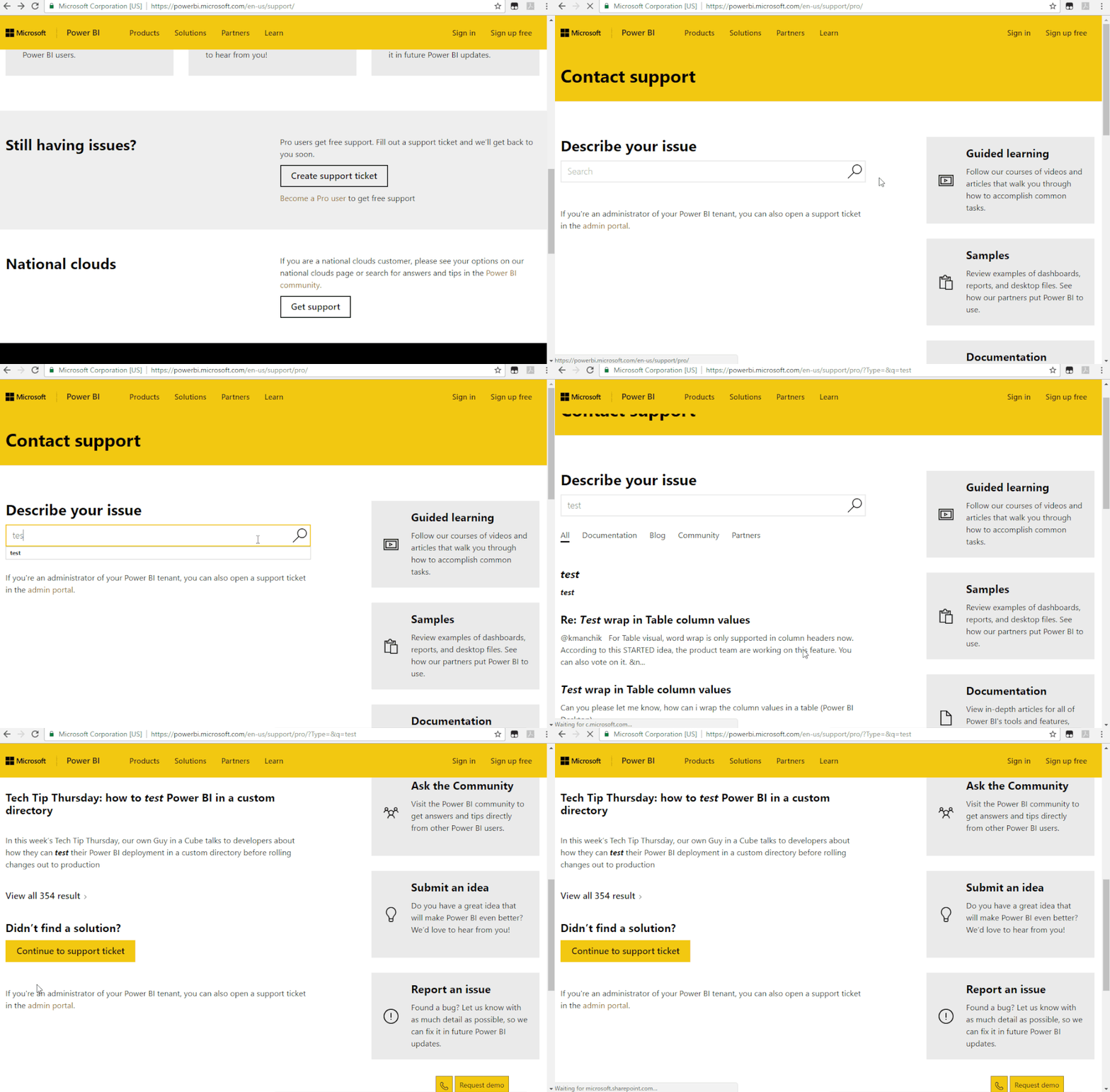
If not, I suggest you to create a support ticket to get further help, if you are a pro user.

Support Ticket.gif


Best Regards,

Icey


If this post helps, then please consider Accept it as the solution to help the other members find it more quickly.

Greg_Deckler
Community Champion
Community Champion

You could check the Issues forum here:

https://community.powerbi.com/t5/Issues/idb-p/Issues

And if it is not there, then you could post it.

If you have Pro account you could try to open a support ticket. If you have a Pro account it is free. Go to https://support.powerbi.com. Scroll down and click "CREATE SUPPORT TICKET".


Follow on LinkedIn
@ me in replies or I'll lose your thread!!!
Instead of a Kudo, please vote for this idea
Become an expert!: Enterprise DNA
External Tools: MSHGQM
YouTube Channel!: Microsoft Hates Greg
Latest book!:
DAX For Humans

DAX is easy, CALCULATE makes DAX hard...

Helpful resources

Announcements
FabCon and SQLCon Barcelona 2026

FabCon & SQLCon – Barcelona 2026

Join us in Barcelona for FabCon and SQLCon, the Fabric, Power BI, SQL, and AI community event. Save €200 with code FABCMTY200.

60 days of Data Days Carousel

Data Days 2026

Join Fabric Data Days 2026: 60 days of free live/on-demand sessions, challenges, study groups, and certification opportunities.

Power BI DataViz World Championships carousel

Power BI DataViz World Championships - June 2026

A new Power BI DataViz World Championship is coming this June! Don't miss out on submitting your entry.