This is best Fabric, Power BI, SQL and AI community event. How do we know? The last event sold out! Save €200 with code FABCMTY200.
Register nowA new Data Days event is coming soon! This time we’re going bigger than ever. Fabric, Power BI, SQL, AI and more. Don't miss out.
Hi all,
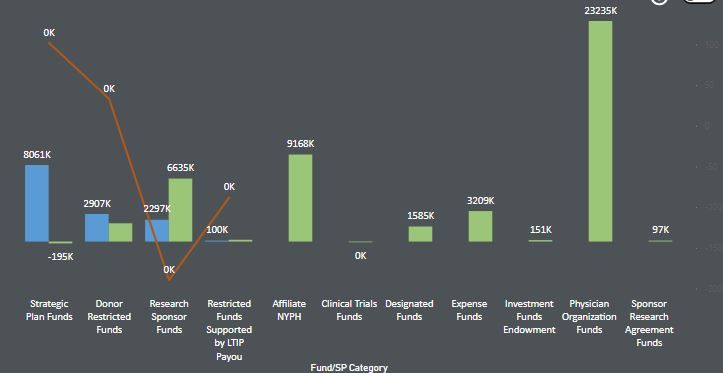
I am using Line and Clustered Column chart in my report. I have turned on the data labels with "display units" as "Thousands".
I would like to show actuals values for the red line and for the green and blue bar, need to show in thousands.
Showing red line as thousands is always shown as 0K as they are percentage value and will always be less than 1000 which results in 0K.
Is there a way I can show actual values for the red line. Please sugegst.
Thank you
Poojitha
Solved! Go to Solution.
hi @Anonymous - I have used "Line and clustered column chart" from the marketplace.
Please mark the post as a solution if my comment helped with solving your issue. Thanks!
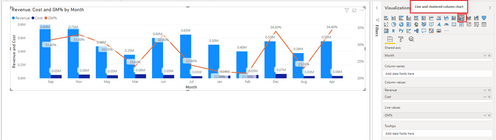
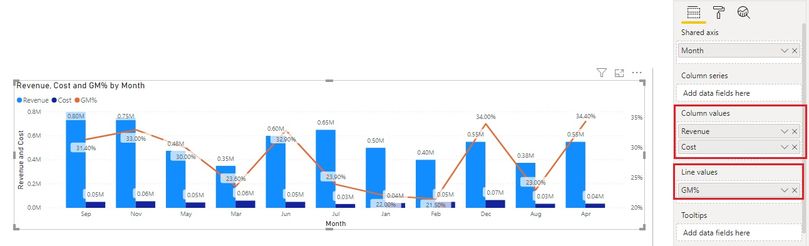
@Anonymous - You can also consider using a Dual axis visual so you can display units on different charts - as seen in the below screen grab
Please mark the post as a solution if my comment helped with solving your issue. Thanks!
Regards,
Sumanth
@Anonymous
Could you please suggest the visual name you have used from the marketplace.
hi @Anonymous - I have used "Line and clustered column chart" from the marketplace.
Please mark the post as a solution if my comment helped with solving your issue. Thanks!
@Anonymous Might be able to override using the technique listed in Chelsie Eiden's Duration. https://community.powerbi.com/t5/Quick-Measures-Gallery/Chelsie-Eiden-s-Duration/m-p/793639#M389
Custom format strings:
https://docs.microsoft.com/en-us/power-bi/create-reports/desktop-custom-format-strings
Check out the May 2026 Power BI update to learn about new features.
Sign up to receive a private message when registration opens and key events begin.
If you have recently started exploring Fabric, we'd love to hear how it's going. Your feedback can help with product improvements.
| User | Count |
|---|---|
| 11 | |
| 9 | |
| 7 | |
| 7 | |
| 6 |
| User | Count |
|---|---|
| 23 | |
| 22 | |
| 21 | |
| 19 | |
| 19 |