cancel
Showing results for 
Search instead for 
Did you mean: 

The Power BI Data Visualization World Championships is back! Get ahead of the game and start preparing now! Learn more

Reply
Anonymous
Not applicable

Custom data labels

Hi all,

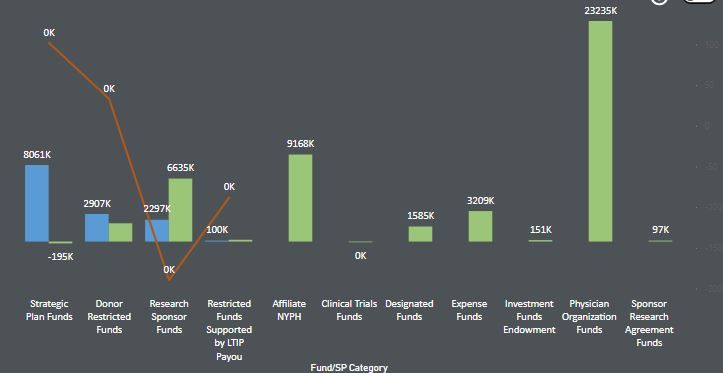
I am using Line and Clustered Column chart in my report. I have turned on the data labels with "display units" as "Thousands".

I would like to show actuals values for the red line and for the green and blue bar, need to show in thousands.

Showing red line as thousands is always shown as 0K as they are percentage value and will always be less than 1000 which results in 0K.

Is there a way I can show actual values for the red line. Please sugegst.


Capture.JPG


Thank you

Poojitha


1 ACCEPTED SOLUTION

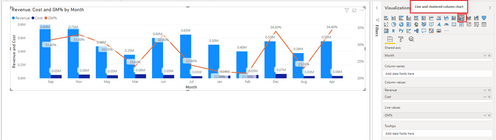
hi @Anonymous - I have used "Line and clustered column chart" from the marketplace. 


Sumanth_23_0-1600184922289.png


Please mark the post as a solution if my comment helped with solving your issue. Thanks! 

Did I answer your question? Mark my post as a solution! Appreciate your Kudos!

Proud to be a Super User!


View solution in original post

4 REPLIES 4
Sumanth_23
Memorable Member
Memorable Member

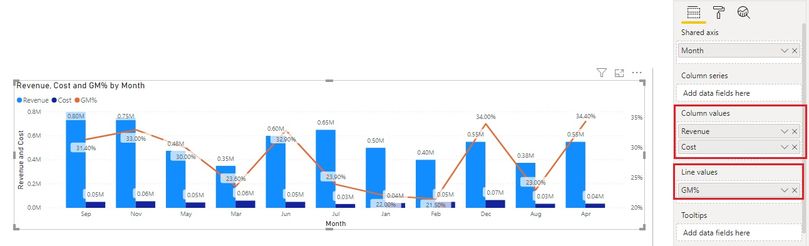
@Anonymous - You can also consider using a Dual axis visual so you can display units on different charts - as seen in the below screen grab 


Please mark the post as a solution if my comment helped with solving your issue. Thanks! 


Dual Axis.jpg


Regards,

Sumanth

Did I answer your question? Mark my post as a solution! Appreciate your Kudos!

Proud to be a Super User!


Anonymous
Not applicable

@Sumanth_23 

Could you please suggest the visual name you have used from the marketplace.

hi @Anonymous - I have used "Line and clustered column chart" from the marketplace. 


Sumanth_23_0-1600184922289.png


Please mark the post as a solution if my comment helped with solving your issue. Thanks! 

Did I answer your question? Mark my post as a solution! Appreciate your Kudos!

Proud to be a Super User!


Greg_Deckler
Community Champion
Community Champion

@Anonymous Might be able to override using the technique listed in Chelsie Eiden's Duration. https://community.powerbi.com/t5/Quick-Measures-Gallery/Chelsie-Eiden-s-Duration/m-p/793639#M389


Custom format strings:
https://docs.microsoft.com/en-us/power-bi/create-reports/desktop-custom-format-strings


Follow on LinkedIn
@ me in replies or I'll lose your thread!!!
Instead of a Kudo, please vote for this idea
Become an expert!: Enterprise DNA
External Tools: MSHGQM
YouTube Channel!: Microsoft Hates Greg
Latest book!:
DAX For Humans

DAX is easy, CALCULATE makes DAX hard...

Helpful resources

Announcements
Power BI DataViz World Championships

Power BI Dataviz World Championships

The Power BI Data Visualization World Championships is back! Get ahead of the game and start preparing now!

December 2025 Power BI Update Carousel

Power BI Monthly Update - December 2025

Check out the December 2025 Power BI Holiday Recap!

FabCon Atlanta 2026 carousel

FabCon Atlanta 2026

Join us at FabCon Atlanta, March 16-20, for the ultimate Fabric, Power BI, AI and SQL community-led event. Save $200 with code FABCOMM.