Join us at FabCon Atlanta from March 16 - 20, 2026, for the ultimate Fabric, Power BI, AI and SQL community-led event. Save $200 with code FABCOMM.
Register now!Vote for your favorite vizzies from the Power BI Dataviz World Championship submissions. Vote now!
All,
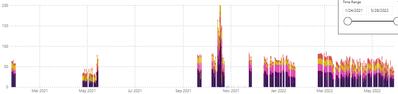
I have two stacked column charts. I want to combine the visuals to plot both values into one chart. It should show two different colors in the new chart.
The SUM value in chart 1 in one color and the SUM value in chart 2 in another color.
1)
Label 1,2,3,4 Selected:
2)
Label 5 Selected:
This is the format of my data:
Column 1) Column 2)
Label 1 10
Label 2 20
Label 3 30
Label 4 25
Label 5 40
Solved! Go to Solution.
@aishak12 - Create two new measures. Ones for summing up labels 1,2,3,4 and another for label 5. You can use these two measures in the column charts.
Sum1 = calculate( sum([column2]), [column1] in {"Label 1","Label 2","Label 3","Label 4"}
Sum2 = calculate( sum([column2]), [column1] = "Label 5")
Let me know if you have any questions.
Did I answer your question? Mark my post as a solution! If not, please feel free to ask me.
Also, I would ❤ Kudos if my solution helped. It is a token of appreciation!
Thank you very much !
@aishak12 - Create two new measures. Ones for summing up labels 1,2,3,4 and another for label 5. You can use these two measures in the column charts.
Sum1 = calculate( sum([column2]), [column1] in {"Label 1","Label 2","Label 3","Label 4"}
Sum2 = calculate( sum([column2]), [column1] = "Label 5")
Let me know if you have any questions.
Did I answer your question? Mark my post as a solution! If not, please feel free to ask me.
Also, I would ❤ Kudos if my solution helped. It is a token of appreciation!
Thank you very much !
Vote for your favorite vizzies from the Power BI World Championship submissions!
If you love stickers, then you will definitely want to check out our Community Sticker Challenge!
Check out the January 2026 Power BI update to learn about new features.
| User | Count |
|---|---|
| 22 | |
| 11 | |
| 10 | |
| 10 | |
| 8 |
| User | Count |
|---|---|
| 60 | |
| 47 | |
| 37 | |
| 28 | |
| 25 |