cancel
Showing results for 
Search instead for 
Did you mean: 

Try your skills in the Power BI Dataviz World Championship! Round one ends June 26. Join now

Reply
PBAC
Regular Visitor

Cannot edit gateway datasource connection

Hi,

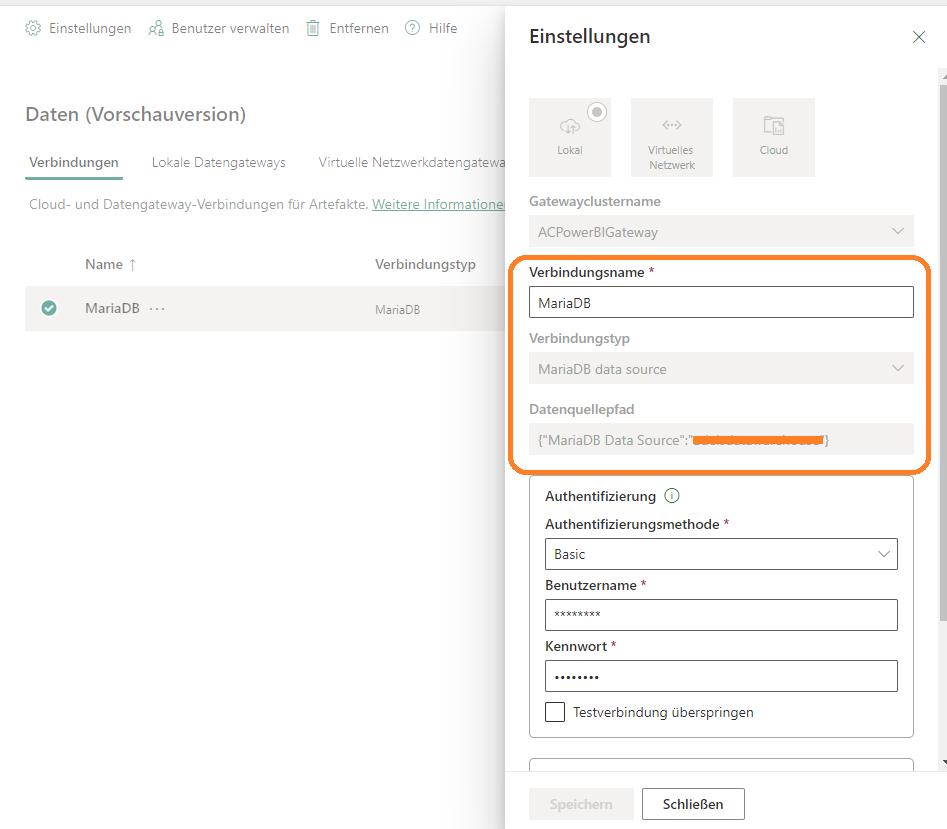
A few weeks ago I installed the 'On-premises data gateway' on my database server and created a database connection to my MariaDB database inside PowerBI service. The connection works fine on several datasets.
Now I want to change the connections type and datasource path. But unfortunately it is greyed out even if I am the owner of this connection.

PowerBI_CannotEditGateWayConnection.png


Why I can neither change connection type nor datasource path please?

1 ACCEPTED SOLUTION
Anonymous
Not applicable

Hi @PBAC ,

That is correct, you colud not change the connection type and data source path after you create data source.

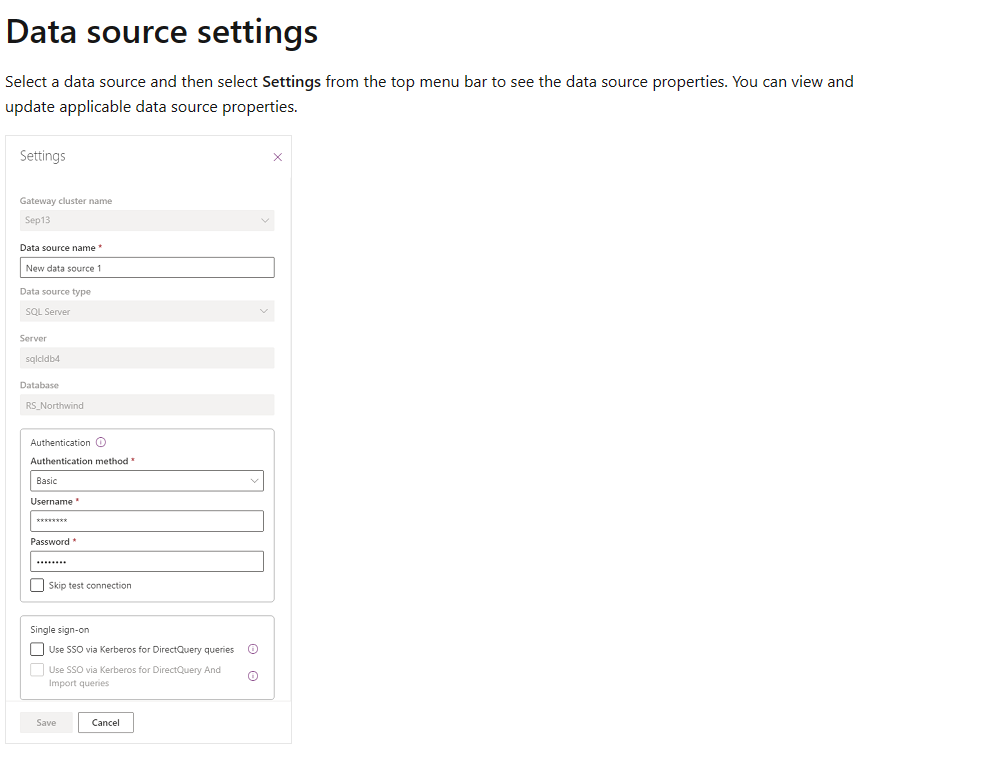
You could only change data source name, authentication type etc.

If you want to change connection type and datasource path, you need to create a new data source in this Data Gateway.

vbinbinyumsft_0-1685588940230.png

For more details, you can read related document: Manage data sources (preview) - Power Platform | Microsoft Learn


Best regards,
Community Support Team_Binbin Yu
If this post helps, then please consider Accept it as the solution to help the other members find it more quickly.

View solution in original post

1 REPLY 1
Anonymous
Not applicable

Hi @PBAC ,

That is correct, you colud not change the connection type and data source path after you create data source.

You could only change data source name, authentication type etc.

If you want to change connection type and datasource path, you need to create a new data source in this Data Gateway.

vbinbinyumsft_0-1685588940230.png

For more details, you can read related document: Manage data sources (preview) - Power Platform | Microsoft Learn


Best regards,
Community Support Team_Binbin Yu
If this post helps, then please consider Accept it as the solution to help the other members find it more quickly.

Helpful resources

Announcements
Fabric Data Days is here Carousel

Data Days 2026

Don't miss out on Data Days, June 15 through August 7. Learn Fabric, Power BI, SQL, AI and more.

May Power BI Update Carousel

Power BI Monthly Update - May 2026

Check out the May 2026 Power BI update to learn about new features.

Power BI DataViz World Championships carousel

Power BI DataViz World Championships - June 2026

A new Power BI DataViz World Championship is coming this June! Don't miss out on submitting your entry.