Join us at FabCon Atlanta from March 16 - 20, 2026, for the ultimate Fabric, Power BI, AI and SQL community-led event. Save $200 with code FABCOMM.
Register now!Vote for your favorite vizzies from the Power BI Dataviz World Championship submissions. Vote now!
Hi,
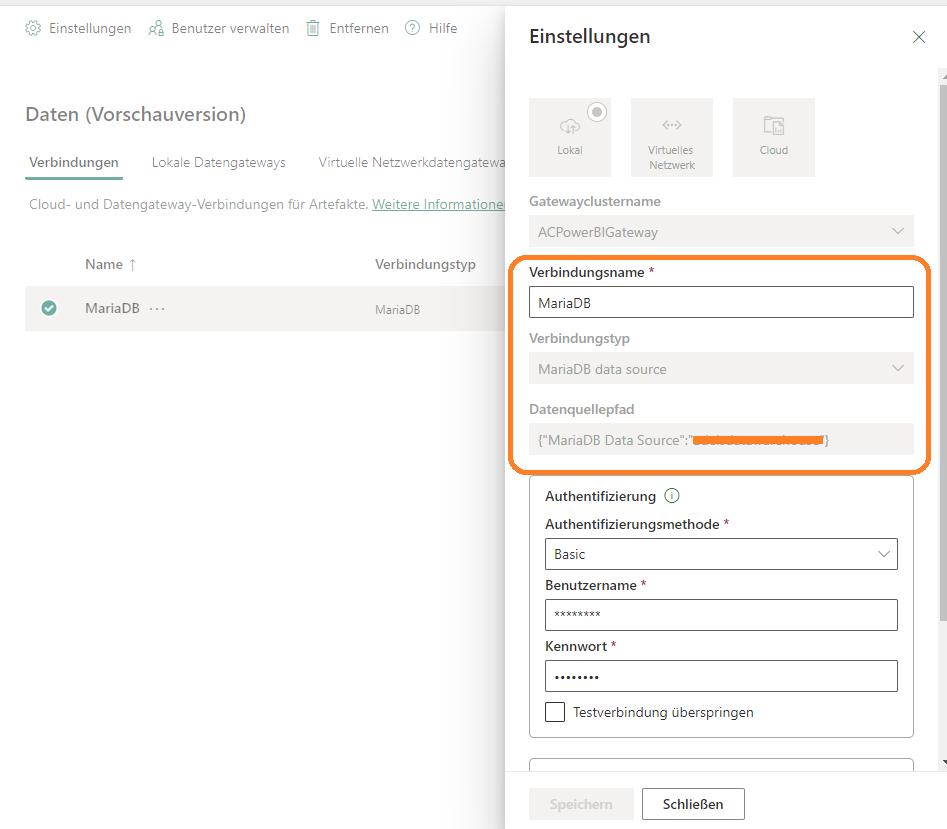
A few weeks ago I installed the 'On-premises data gateway' on my database server and created a database connection to my MariaDB database inside PowerBI service. The connection works fine on several datasets.
Now I want to change the connections type and datasource path. But unfortunately it is greyed out even if I am the owner of this connection.
Why I can neither change connection type nor datasource path please?
Solved! Go to Solution.
Hi @PBAC ,
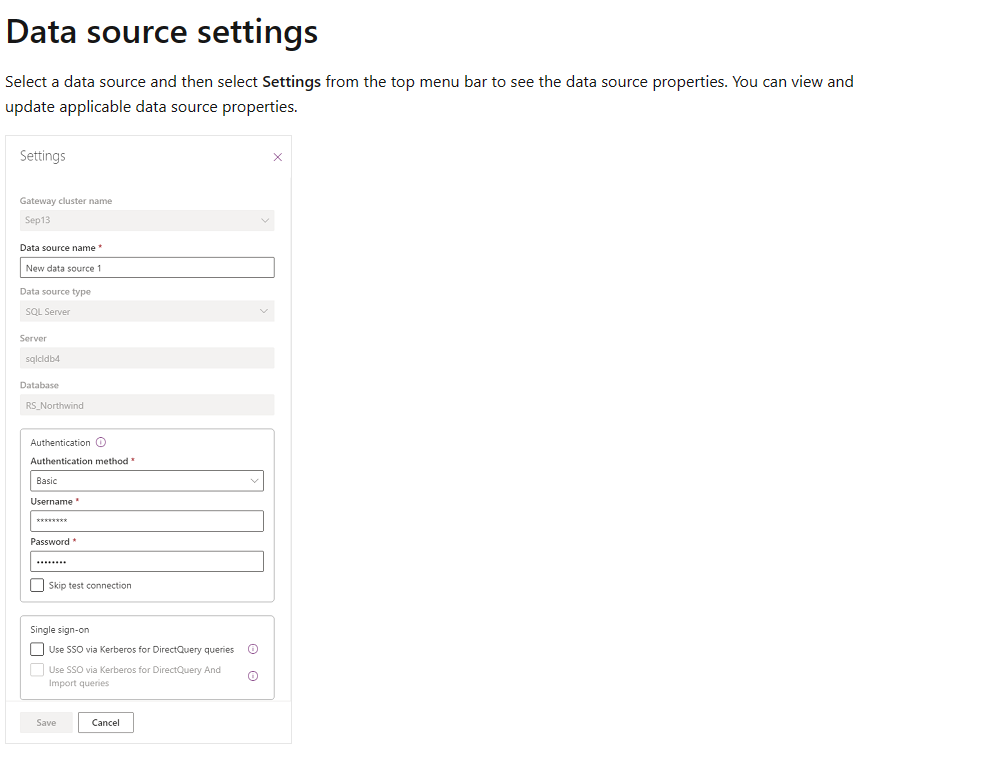
That is correct, you colud not change the connection type and data source path after you create data source.
You could only change data source name, authentication type etc.
If you want to change connection type and datasource path, you need to create a new data source in this Data Gateway.
For more details, you can read related document: Manage data sources (preview) - Power Platform | Microsoft Learn
Best regards,
Community Support Team_Binbin Yu
If this post helps, then please consider Accept it as the solution to help the other members find it more quickly.
Hi @PBAC ,
That is correct, you colud not change the connection type and data source path after you create data source.
You could only change data source name, authentication type etc.
If you want to change connection type and datasource path, you need to create a new data source in this Data Gateway.
For more details, you can read related document: Manage data sources (preview) - Power Platform | Microsoft Learn
Best regards,
Community Support Team_Binbin Yu
If this post helps, then please consider Accept it as the solution to help the other members find it more quickly.
Vote for your favorite vizzies from the Power BI World Championship submissions!
If you love stickers, then you will definitely want to check out our Community Sticker Challenge!
Check out the January 2026 Power BI update to learn about new features.
| User | Count |
|---|---|
| 18 | |
| 10 | |
| 9 | |
| 8 | |
| 7 |
| User | Count |
|---|---|
| 47 | |
| 38 | |
| 36 | |
| 25 | |
| 20 |