Get certified for free when you join Fabric Data Days 2026 and dive into Fabric, Power BI, SQL, AI, and other essential data skills.
Join nowTry your skills in the Power BI Dataviz World Championship! Round one ends June 26. Join now
Hello
Within the company we have an incident service called ITOP (https://www.combodo.com/itop-193), we need to connect to the database of this service from power BI to create the necessary reports of incidents or others. But Teneomos problems, we really do not have the knowledge to achieve this and so we look for your support or advice on how to make the connection. This is the datasheet (https://www.combodo.com/IMG/pdf/combodoproductsdatasheet_en-3.pdf)
Please if you can give us a light or horizon with this would be a great help.
@JulianTobon,
Based on my research, all iTop data is stored in MySQL database, you can use MySQL connector in Power BI Desktop to connect to your source.
There is a blog for your reference.
http://biinsight.com/mysql-and-power-bi-how-does-it-work/
Regards,
Lydia
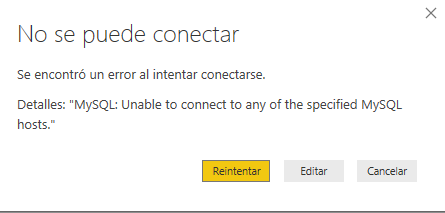
I have not made any group in the Server field I put the IP address of the Server, then the name of the database and this is the answer:
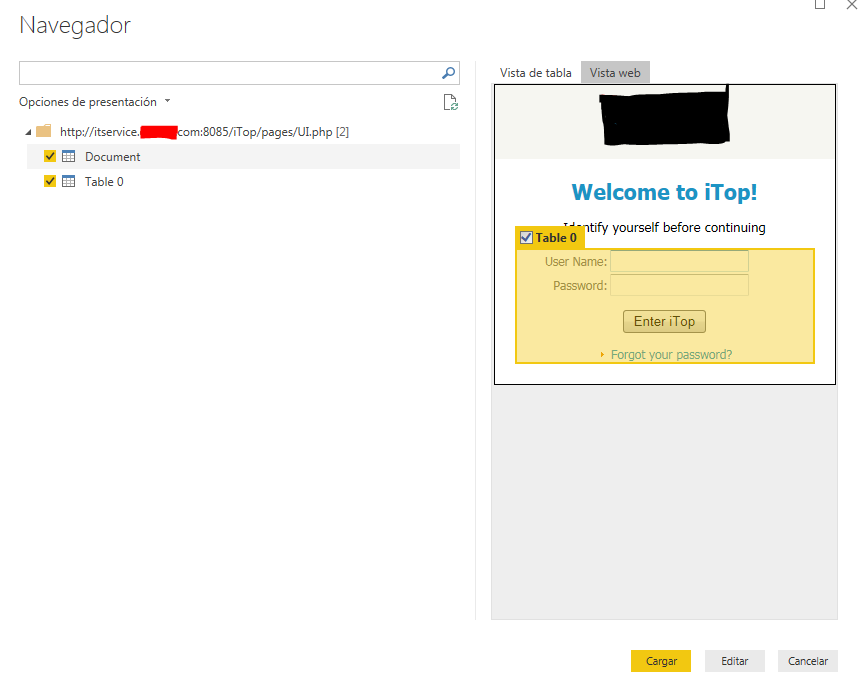
and if I try to make the connection through WEB this is the small result:
I'm totally lost with this, I need your help ![]()
@JulianTobon,
Are you able to connect to MySQL from MySQL workbench? Ensure that MySQL workbench is installed in the same machine as Power BI Desktop.
Also, please enable remote access to MySQL server following the guide in this blog. And verify the port number that MySQL is using, add the port to your firewall, then use "servername: port" connection string to connect to MySQL in Power BI Desktop and check if it is successful.
Regards,
Lydia
| User | Count |
|---|---|
| 12 | |
| 6 | |
| 5 | |
| 5 | |
| 5 |