Don't miss your chance to take the Fabric Data Engineer (DP-600) exam for FREE! Find out how by attending the DP-600 session on April 23rd (pacific time), live or on-demand.
Learn moreNext up in the FabCon + SQLCon recap series: The roadmap for Microsoft SQL and Maximizing Developer experiences in Fabric. All sessions are available on-demand after the live show. Register now
Hi All!
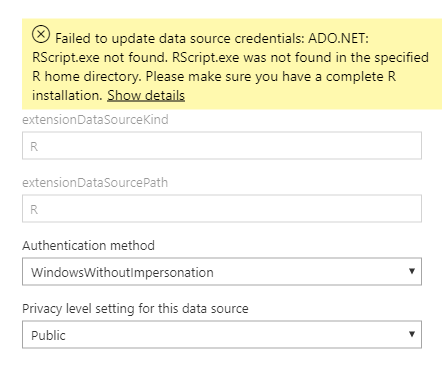
I am trying to schedule refresh for a R-script dataset. And I get this error:
Failed to update data source credentials: ADO.NET: RScript.exe not found. RScript.exe was not found in the specified R home directory. Please make sure you have a complete R installation.
I have installed Personal Getaway and R (put a R directory path in settings). On Desktop it works fine.
Thanks!
I had this problem with a Python script. The latest supported version of Python in Power BI is 3.7.1 according to this annoucement, but I had Python 3.7.2 on my computer, so I decided to reinstall 3.7.1 just in case. I don't know why this worked, but it fixed the issue for me.
Did you find the solution? I am having the same issue.
No, I have not found.
If you have recently started exploring Fabric, we'd love to hear how it's going. Your feedback can help with product improvements.
A new Power BI DataViz World Championship is coming this June! Don't miss out on submitting your entry.
Share feedback directly with Fabric product managers, participate in targeted research studies and influence the Fabric roadmap.
| User | Count |
|---|---|
| 6 | |
| 3 | |
| 3 | |
| 3 | |
| 2 |