Join us at FabCon Atlanta from March 16 - 20, 2026, for the ultimate Fabric, Power BI, AI and SQL community-led event. Save $200 with code FABCOMM.
Register now!Vote for your favorite vizzies from the Power BI Dataviz World Championship submissions. Vote now!
Hi, I am new to Power Bi,
I am trying to work out my net adds for the month.
Can anyone advise which would be the best Dax formula for this or query?
I can post data if need be
Solved! Go to Solution.
Hi @Anonymous ,
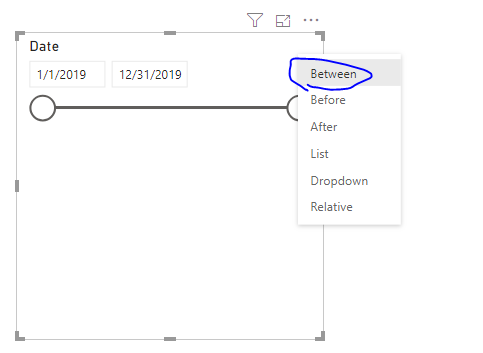
Setting the slicer to between as below should help you.
Hi @Anonymous ,
Setting the slicer to between as below should help you.
Hi
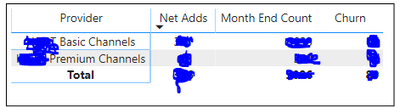
That will work; however, I am producing my data in a matrix along with other measures. I am replicating a report in Power BI from Excel. See picture of data below.
Hope this helps.
@v-frfei-msft @Anonymous
NetGroup2 =
VAR StartDateNet = CALCULATE(SUM(Test[Quantity]),Test[Brand]="Group2",ALLSELECTED(Test[StartDate]))
VAR ServiceEndDateNet = CALCULATE(SUM(Test[Quantity]),Test[Brand]="Group2",ALLSELECTED(Test[StartDate],Test[ServiceEndDate]))
RETURN StartDateNet
Hi Vimal,
Thank you for you're help so far.
I have more than 1 brand in my data that I need to include. I can sort this by adding a filter on the visual.
My main concern is that is there no way to add a date field such as "DatesBetween" in the below dax expression? I want to Power BI to give me net adds for September only. @Anonymous
Vote for your favorite vizzies from the Power BI World Championship submissions!
If you love stickers, then you will definitely want to check out our Community Sticker Challenge!
Check out the January 2026 Power BI update to learn about new features.
| User | Count |
|---|---|
| 12 | |
| 11 | |
| 7 | |
| 7 | |
| 6 |