Get certified for free when you join Fabric Data Days 2026 and dive into Fabric, Power BI, SQL, AI, and other essential data skills.
Join nowJuly 28 - August 9 | Final Round of the Power BI Dataviz World Championships. This is your chance. Learn more
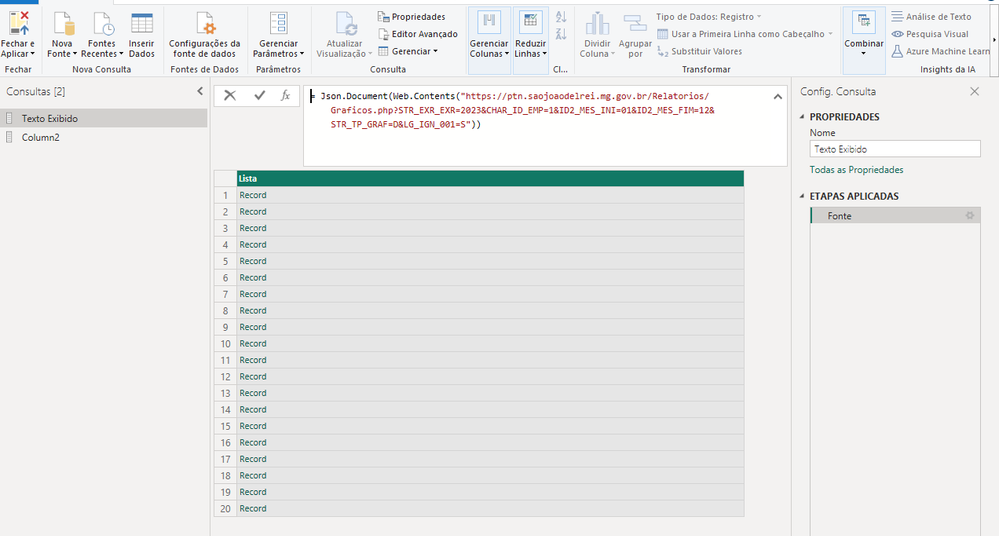
I have a Rest API that its structure is:
Solved! Go to Solution.
let
Source = Json.Document(Web.Contents("https://ptn.saojoaodelrei.mg.gov.br/Relatorios/Graficos.php?STR_EXR_EXR=2023&CHAR_ID_EMP=1&ID2_MES_INI=01&ID2_MES_FIM=12&STR_TP_GRAF=D&LG_IGN_001=S")),
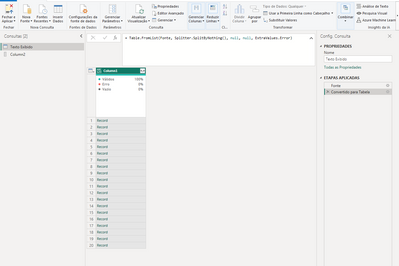
#"Converted to Table" = Table.FromList(Source, Splitter.SplitByNothing(), null, null, ExtraValues.Error),
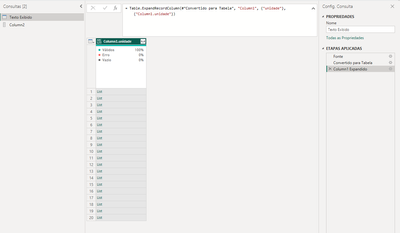
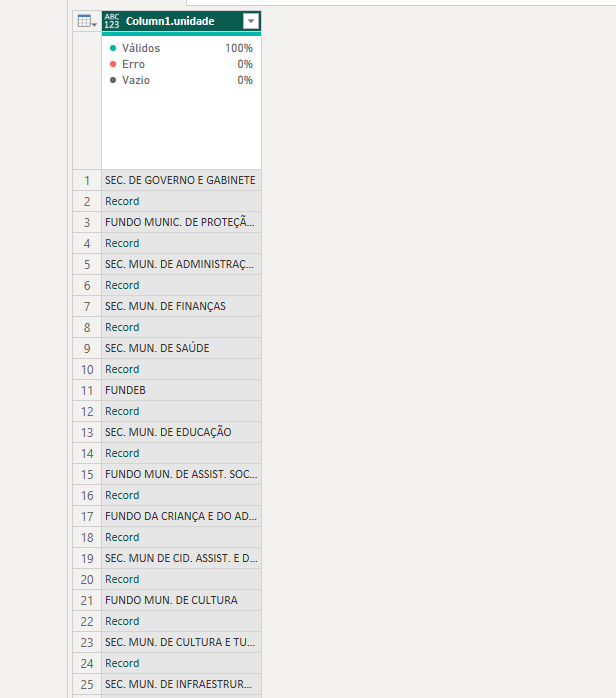
#"Expanded Column1" = Table.ExpandRecordColumn(#"Converted to Table", "Column1", {"unidade"}, {"unidade"}),
#"Added Custom" = Table.AddColumn(#"Expanded Column1", "Name", each [unidade]{0}),
#"Added Custom1" = Table.AddColumn(#"Added Custom", "Records", each [unidade]{1}),
#"Expanded Records" = Table.ExpandRecordColumn(#"Added Custom1", "Records", {"VR_EMP_TOT", "VR_LIQ_TOT", "VR_PG_TOT", "LG_PAG"}),
#"Removed Other Columns" = Table.SelectColumns(#"Expanded Records",{"Name", "VR_EMP_TOT", "VR_LIQ_TOT", "VR_PG_TOT", "LG_PAG"})
in
#"Removed Other Columns"
let
Source = Table.FromRows(Json.Document(Binary.Decompress(Binary.FromText("rZC9asMwFEZf5aLZCKlSLbmbGyvGEEuuf7LIwgSSQiFkKZ1Cpgx5sLxYrYQam4aUQO/0Xb5z73CsRRa5wCLoZz8kgBZ97T7Wq/WmRS9gR4WvKjXDkChIzVKV2kCf4tdMq1q1KJiw+8nmb5dlp/Kiq03tP4chZ5QxLEVwi1xkbz8kE4I8CYGJIJfhNw+KdOApo0Q+Y06j6/zmF2lXxKmH31fbz82kP4w2N+RD8LiseaMTA3mjs6u0ojS1Op/OR+8tUXNVxdADM6OrJs+SRw1ySqIQE/qXv7vcSBuXMsKh/Bdbl+QAkHPf", BinaryEncoding.Base64), Compression.Deflate)), let _t = ((type nullable text) meta [Serialized.Text = true]) in type table [Column1 = _t]),
res = Json.Document(Text.Combine(Source[Column1])),
#"Converted to Table" = Table.FromList(res, Splitter.SplitByNothing(), null, null, ExtraValues.Error),
#"Expanded Column1" = Table.ExpandRecordColumn(#"Converted to Table", "Column1", {"unidade"}, {"unidade"}),
#"Added Custom" = Table.AddColumn(#"Expanded Column1", "Name", each [unidade]{0}),
#"Added Custom1" = Table.AddColumn(#"Added Custom", "Records", each [unidade]{1}),
#"Expanded Records" = Table.ExpandRecordColumn(#"Added Custom1", "Records", {"VR_EMP_TOT", "VR_LIQ_TOT", "VR_PG_TOT", "LG_PAG"}),
#"Removed Other Columns" = Table.SelectColumns(#"Expanded Records",{"Name", "VR_EMP_TOT", "VR_LIQ_TOT", "VR_PG_TOT", "LG_PAG"})
in
#"Removed Other Columns"
How to use this code: Create a new Blank Query. Click on "Advanced Editor". Replace the code in the window with the code provided here. Click "Done".
Hey Ibendlin,
Thank you for your help. It worked but I have two questions
Your resolution isn't using the API right? Because it returned only a 2 lines table.
How could I transfer your resolution to work using this API (https://ptn.saojoaodelrei.mg.gov.br/Relatorios/Graficos.php?STR_EXR_EXR=2023&CHAR_ID_EMP=1&ID2_MES_I...)
I have tried a few things that I have seen online, but nothing worked. Sorry.
I'm studying M language Sintaxe but it would be fantastic if you could enlighten me. It's essential for the work I'm doing.
Thank you.
let
Source = Json.Document(Web.Contents("https://ptn.saojoaodelrei.mg.gov.br/Relatorios/Graficos.php?STR_EXR_EXR=2023&CHAR_ID_EMP=1&ID2_MES_INI=01&ID2_MES_FIM=12&STR_TP_GRAF=D&LG_IGN_001=S")),
#"Converted to Table" = Table.FromList(Source, Splitter.SplitByNothing(), null, null, ExtraValues.Error),
#"Expanded Column1" = Table.ExpandRecordColumn(#"Converted to Table", "Column1", {"unidade"}, {"unidade"}),
#"Added Custom" = Table.AddColumn(#"Expanded Column1", "Name", each [unidade]{0}),
#"Added Custom1" = Table.AddColumn(#"Added Custom", "Records", each [unidade]{1}),
#"Expanded Records" = Table.ExpandRecordColumn(#"Added Custom1", "Records", {"VR_EMP_TOT", "VR_LIQ_TOT", "VR_PG_TOT", "LG_PAG"}),
#"Removed Other Columns" = Table.SelectColumns(#"Expanded Records",{"Name", "VR_EMP_TOT", "VR_LIQ_TOT", "VR_PG_TOT", "LG_PAG"})
in
#"Removed Other Columns"
Thank you so much!! You're a lifesaver.
Join us in Barcelona for FabCon and SQLCon, the Fabric, Power BI, SQL, and AI community event. Save €200 with code FABCMTY200.
If you love stickers, then you will definitely want to check out our community sticker challenge, Barcelona edition!
Check out the July 2026 Power BI update to learn about new features.
| User | Count |
|---|---|
| 4 | |
| 2 | |
| 2 | |
| 2 | |
| 1 |