

Join us at FabCon Atlanta from March 16 - 20, 2026, for the ultimate Fabric, Power BI, AI and SQL community-led event. Save $200 with code FABCOMM.
Register now!Learn from the best! Meet the four finalists headed to the FINALS of the Power BI Dataviz World Championships! Register now
Hi,
I am trying to set up a line chart with my % on the left, and my total value below - organized by date.
For some reason I can't replicate the same thing I created in the previous visualization. It keeps collapsing my values to 3 instead of 4 because 2 total values match.
It keeps showing the date below, instead of the total fairways hit.
Also, why can't I upload an image directly from my desktop? It keeps trying to force me to submit an image via a weblink...
Any ideas?
Hi @kgriendling,
Could you post your table structures with some sample data which can help us reproduce this issue? So that we can better assist on it. It's better to share a sample pbix file. You can upload it to OneDrive or Dropbox and post the link here. Do mask sensitive data before uploading. ![]()
Regards
The table for this is attached:
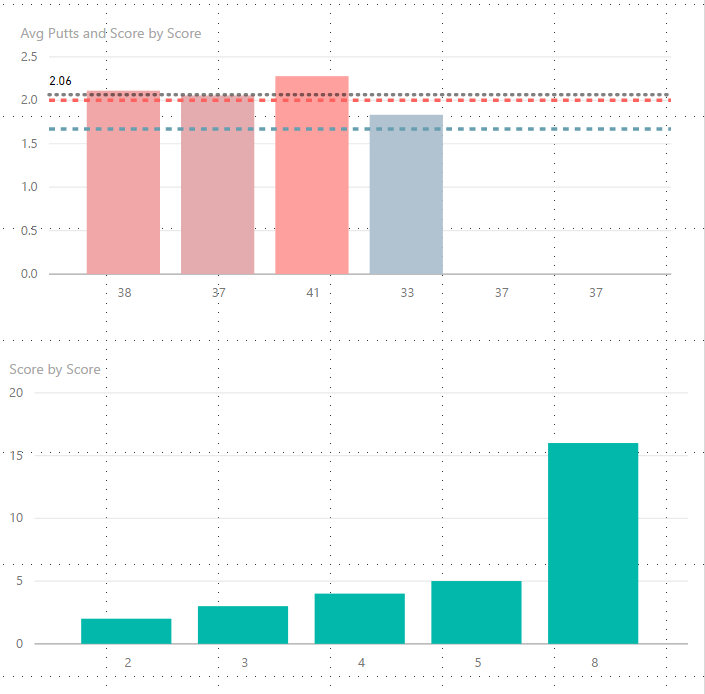
I have since added two lines to it - so now it is reading 4 elements, but it takes my two days that have 8 GIR, and makes them a column. Like this:
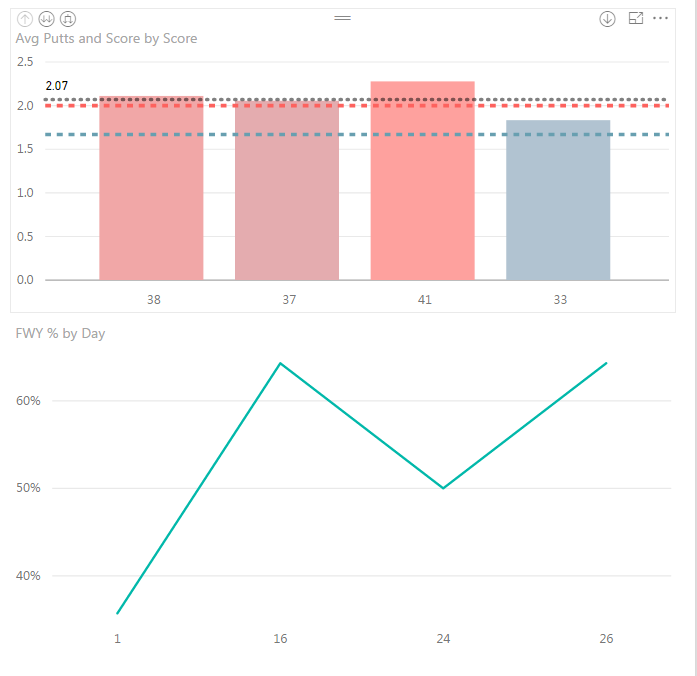
Also I can't figure out why my first viz won't update with the latest two data points. That data looks like this:
Share feedback directly with Fabric product managers, participate in targeted research studies and influence the Fabric roadmap.
Check out the February 2026 Power BI update to learn about new features.
| User | Count |
|---|---|
| 66 | |
| 60 | |
| 45 | |
| 19 | |
| 15 |
| User | Count |
|---|---|
| 108 | |
| 108 | |
| 41 | |
| 30 | |
| 27 |