

Don't miss your chance to take the Fabric Data Engineer (DP-600) exam for FREE! Find out how by attending the DP-600 session on April 23rd (pacific time), live or on-demand.
Learn moreNext up in the FabCon + SQLCon recap series: The roadmap for Microsoft SQL and Maximizing Developer experiences in Fabric. All sessions are available on-demand after the live show. Register now
Hi,
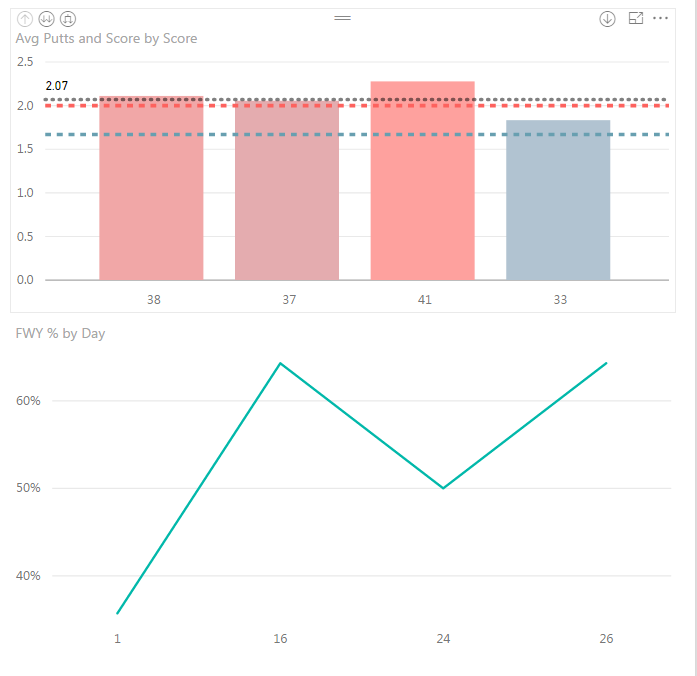
I am trying to set up a line chart with my % on the left, and my total value below - organized by date.
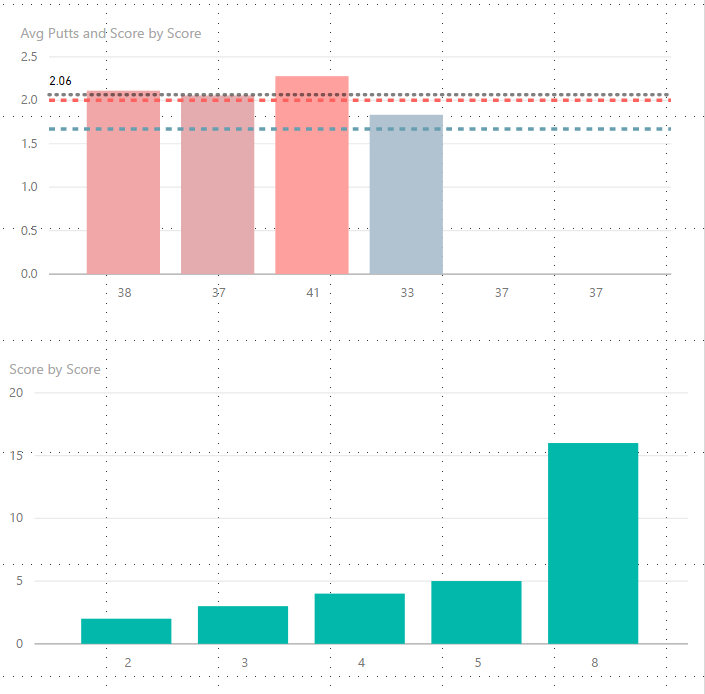
For some reason I can't replicate the same thing I created in the previous visualization. It keeps collapsing my values to 3 instead of 4 because 2 total values match.
It keeps showing the date below, instead of the total fairways hit.
Also, why can't I upload an image directly from my desktop? It keeps trying to force me to submit an image via a weblink...
Any ideas?
Hi @kgriendling,
Could you post your table structures with some sample data which can help us reproduce this issue? So that we can better assist on it. It's better to share a sample pbix file. You can upload it to OneDrive or Dropbox and post the link here. Do mask sensitive data before uploading. ![]()
Regards
The table for this is attached:
I have since added two lines to it - so now it is reading 4 elements, but it takes my two days that have 8 GIR, and makes them a column. Like this:
Also I can't figure out why my first viz won't update with the latest two data points. That data looks like this:
If you have recently started exploring Fabric, we'd love to hear how it's going. Your feedback can help with product improvements.
A new Power BI DataViz World Championship is coming this June! Don't miss out on submitting your entry.
Experience the highlights from FabCon & SQLCon, available live and on-demand starting April 14th.
| User | Count |
|---|---|
| 48 | |
| 40 | |
| 37 | |
| 20 | |
| 15 |
| User | Count |
|---|---|
| 70 | |
| 67 | |
| 32 | |
| 27 | |
| 25 |