

This time we’re going bigger than ever. Fabric, Power BI, SQL, AI and more. We're covering it all. You won't want to miss it.
Learn moreLevel up your Power BI skills this month - build one visual each week and tell better stories with data! Get started
Hi,
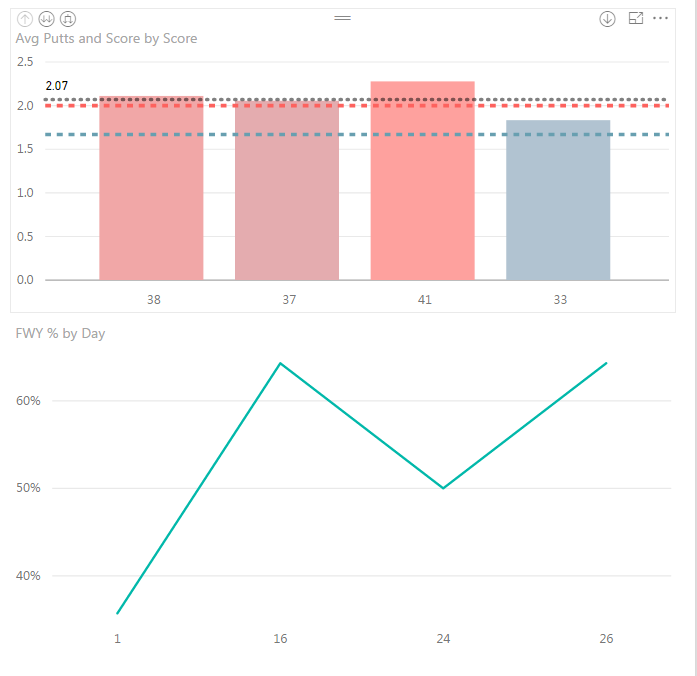
I am trying to set up a line chart with my % on the left, and my total value below - organized by date.
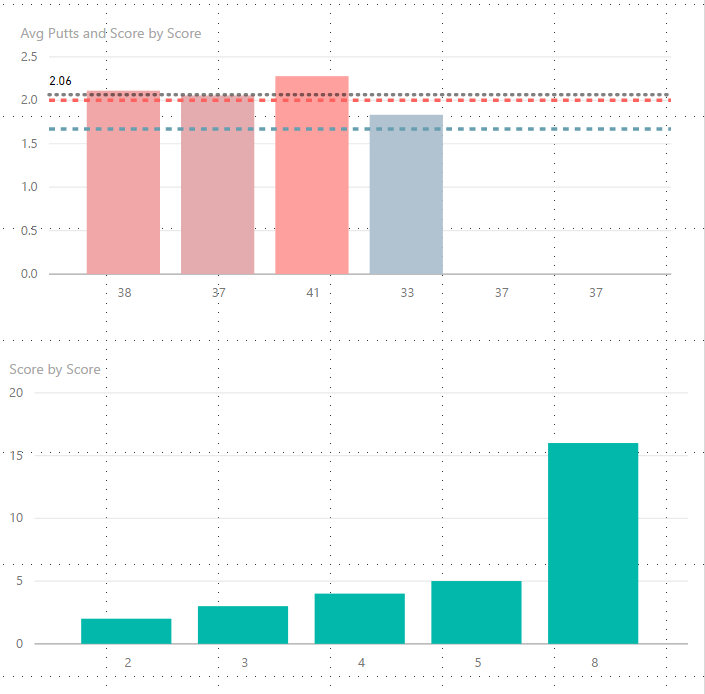
For some reason I can't replicate the same thing I created in the previous visualization. It keeps collapsing my values to 3 instead of 4 because 2 total values match.
It keeps showing the date below, instead of the total fairways hit.
Also, why can't I upload an image directly from my desktop? It keeps trying to force me to submit an image via a weblink...
Any ideas?
Hi @kgriendling,
Could you post your table structures with some sample data which can help us reproduce this issue? So that we can better assist on it. It's better to share a sample pbix file. You can upload it to OneDrive or Dropbox and post the link here. Do mask sensitive data before uploading. ![]()
Regards
The table for this is attached:
I have since added two lines to it - so now it is reading 4 elements, but it takes my two days that have 8 GIR, and makes them a column. Like this:
Also I can't figure out why my first viz won't update with the latest two data points. That data looks like this:
Check out the April 2026 Power BI update to learn about new features.
Sign up to receive a private message when registration opens and key events begin.
If you have recently started exploring Fabric, we'd love to hear how it's going. Your feedback can help with product improvements.
| User | Count |
|---|---|
| 36 | |
| 29 | |
| 29 | |
| 21 | |
| 18 |
| User | Count |
|---|---|
| 71 | |
| 43 | |
| 33 | |
| 24 | |
| 23 |